
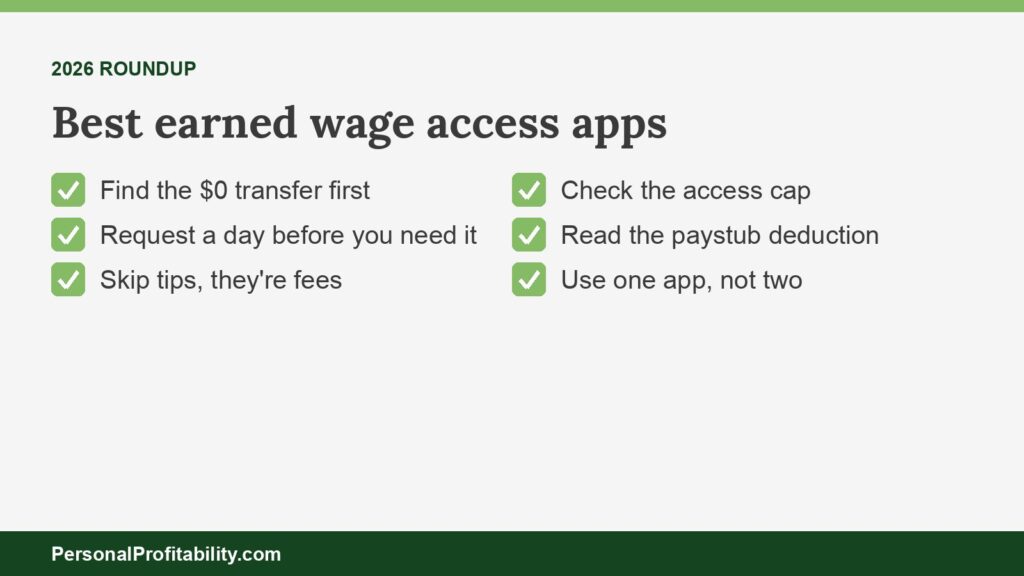
The best earned wage access apps for most workers are Branch, DailyPay, and OnePay @Work, since each offers a $0 instant path, and EarnIn is the best pick when your employer offers nothing. With employer earned wage access, you usually get the app your employer chose as a benefit, so this guide shows you how to pay $0 on whichever one you have. New to the idea? Start with our plain-English guide to earned wage access.
Eric Rosenberg, who founded Personal Profitability, wrote for Payactiv as a freelancer and later worked there as a marketing manager, until June 2026. Nobody at Payactiv reviewed this page. We held Payactiv to its own published fees and terms, the same standard we used for every other company here.
Personal Profitability may earn a commission from partner links on this page, at no cost to you. Partners don’t decide what we recommend or where it ranks. Fees and terms are each company’s as of 2026-10-24. Confirm them on the company’s site before you sign up.
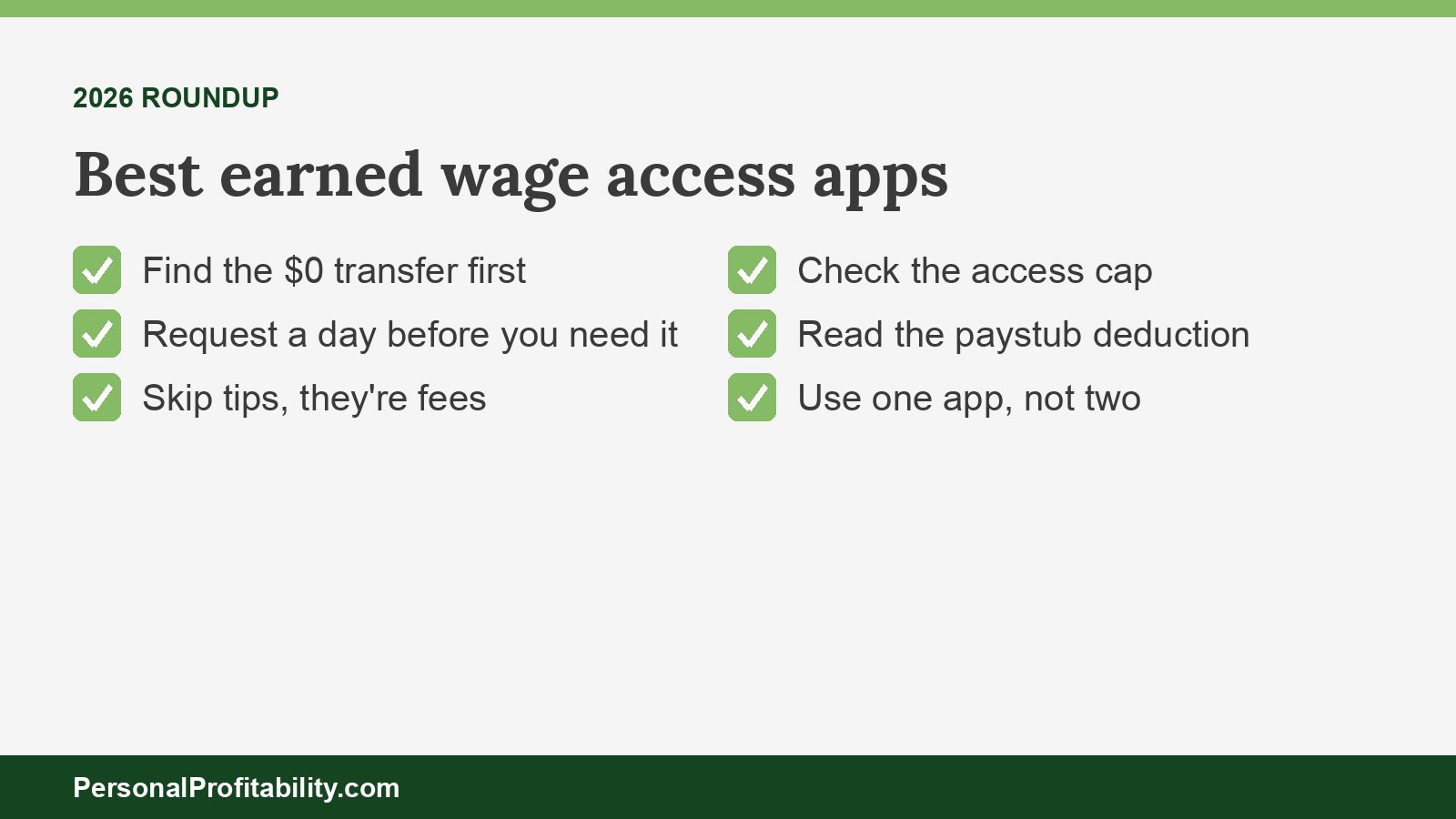
Our picks at a glance
Branch is our top pick among the best earned wage access apps, because you can move money to the Branch Wallet instantly for $0, and EarnIn leads for workers whose employer doesn’t offer EWA at all.
| App | Best for | The cost that decides it | The catch |
|---|---|---|---|
| Branch | Free instant pay without a fee | $0 instant to Branch Wallet. $2.99–$4.99 instant to a debit card | ATM and inactivity fees on the Branch account |
| DailyPay | Big-employer workers who want a high cap | $0 next-business-day ACH. $1.99–$3.99 instant, set by employer | Your direct deposit routes through DailyPay |
| OnePay @Work | Walmart associates and employers that turn on free instant | $0 instant if your employer configured it | Unpublished fee if your employer didn’t |
| Chime Enterprise EWA | Workers who already bank with Chime | $0 instant to a Chime account | Thin public terms, no published cap |
| Payactiv | Workers who can send $200 a paycheck to a card | $0 to the Payactiv Visa card with $200+ direct deposit. $3.49 to other cards | Cap of about 50% and $500 a pay period in most cases |
| Rain | A cushion when your balance runs low | $0 ACH in 1–3 days | Instant card fee isn’t published |
| ZayZoon | Small-business employees | $0 to the ZayZoon Visa card. Up to $5 near-instant | Highest published per-transfer cap here |
| Tapcheck | Workers who need a bigger share of a check | Up to 70% of net pay | No free cash option published |
| EarnIn | Workers with no employer program | $0 in 1–2 business days. $3.99–$8.99 Lightning Speed | Pulls repayment from your bank. Colorado AG lawsuit |
We verified fees and terms for the best earned wage access apps on 2026-10-24.
Spend less, earn more and grow your wealth
Get my free 2026 Playbook with a checklist for your budget, credit, investing and side income, plus the free 7-day Bootcamp.
How to get the most from the EWA app your employer picked
You get the most from any employer EWA app by finding its free path, using it the day before you need cash, and never paying for speed you can plan around. Your employer signs one provider and offers it as a benefit, so the useful question is how employees can use that one well.
- Find the $0 option first. Every app on this list except Tapcheck publishes a free cash route, usually a standard bank transfer or the provider’s own card. Our earned wage access fees table lists each one.
- Request a day early. A free ACH transfer takes one to three business days at most providers. If rent or other bills are due Friday, request on Tuesday and keep the money you’d spend on the instant fee.
- Weigh the card offer. DailyPay, Payactiv, and ZayZoon waive instant fees when you use their card. That’s a good deal only if the card’s ATM and reload fees don’t eat the savings.
- Read your paystub. Your next check shows the amount you pulled as a line item. Our guide to the earned wage access deduction explains what that line means.
- Stick to one app. If you stack an employer app with a direct-to-consumer advance, you shrink two paychecks at once.
One more rule. If you pull from your paycheck every pay period, you’re using the app to cover a budget gap, not a timing gap. That’s the signal to rework the budget with our beginner’s guide to budgeting and start a small buffer.
What you need to use an earned wage access app
To use an employer EWA app, you need a company that offers it, a job paid through its payroll system, and a bank account or the provider’s card. Cash advance apps require steady direct deposit income instead.
- An employer that signed up. Your company connects the provider to its payroll system or time clock, and you then see the wages you’ve already earned in the app. Employees can’t add an employer app on their own.
- A place to receive the money. A checking account works for the free ACH option, a debit card for instant transfers, and the provider’s card for free instant funds at DailyPay, Payactiv, and ZayZoon.
- Sometimes, a direct deposit change. DailyPay routes your paycheck through its own account after your first transfer. Tapcheck asks for no change at all. Payactiv waives its card fee only with $200 or more of direct deposit per pay period.
- No credit check. The employer apps here don’t pull your credit, and none charges interest. The CFPB’s covered EWA definition bars providers from assessing credit risk.
Cash advance apps set their own requirements. EarnIn asks for a consistent direct deposit schedule, a checking account (no prepaid or savings accounts), and a work email or work location, and it accepts Social Security, SSDI, SSI, and VA income but not unemployment. MoneyLion wants a checking account open at least two months with regular income deposits. Chime MyPay requires $200 or more in qualifying direct deposits. Employer apps here publish no subscription or other mandatory fees, so the only cost you control is speed.
Branch: best for workers who want instant pay with no fee
Branch is the best earned wage access app for a free instant transfer, because Branch charges $0 to move an advance into the Branch Wallet right away.
- Free path: instant to the Branch Wallet, or a standard ACH to an outside bank in 3–5 business days, both $0.
- Instant fee: $2.99 to $4.99 to a connected debit card for W-2 workers, based on the amount. For 1099 business accounts, Branch charges 2% with a $2.99 minimum.
- Cap: up to 50% of projected earned wages in a pay period, up to $1,000, with a $500 limit per request.
- Catch: the Branch card gives you 8 free in-network Allpoint ATM withdrawals a month, then charges $2.00. Branch charges $2.00 out of network, and up to $5.00 a month on accounts dormant for 12 months.
- Key features: a High Yield Savings account, savings goals, cash back, and bill pay.
Branch runs two models. With Branch Core, your employer repays Branch through a payroll deduction. With Branch Flex, Branch collects from your linked checking account once it detects your next payroll deposit, and Flex isn’t available in Connecticut. Branch also handles 1099 payouts and powers the Uber Pro Card, so many gig workers already have it. Spend from the wallet or the card and you never pay for speed. See Branch’s EWA page and its transfer fee article.
DailyPay: best for big-employer workers who want a high cap
DailyPay fits workers at large employers best, because DailyPay lets you transfer up to 100% of your available balance, up to $1,000 a day, and charges nothing for a next-business-day transfer.
- Free path: next-business-day ACH for $0, or instant to the DailyPay Card for $0 once you set up direct deposit to that card.
- Instant fee: DailyPay’s program terms list $1.99 to $3.99, and its fees page says $3.49. Both say your employer’s contract sets the fee.
- Cap: up to 100% of what the app shows as available, capped at $1,000 a day ($1,500 a day to the DailyPay Card), up to five transfers a day. Your employer decides how much of your pay counts as available.
- Catch: after your first transfer, your employer sends your whole net pay to DailyPay, and DailyPay sends you the rest on payday.
- Key features: Bill Manager, a savings balance, cash back rewards, and third-party financial counseling inside the app.
DailyPay calls its program non-recourse: if your employer doesn’t pay DailyPay, you owe nothing. The legal record is the bigger caveat. New York Attorney General Letitia James sued DailyPay on April 14, 2025, calling its advances payday loans and pointing to a seven-day, $20 advance with a $2.99 fee as over 750% APR. DailyPay sued the AG first, on April 7, 2025. We found no ruling as of October 2026. DailyPay connects to more than 180 HCM, payroll, and time management platforms, including Workday, SAP, ADP, and Oracle. Our DailyPay review covers the card fees, and the AG’s release lays out the claims. DailyPay’s own fees page lists the card’s $2.50 out-of-network ATM charge.
OnePay @Work: best for Walmart associates and employers that turn on free instant
OnePay @Work (formerly Even, then ONE@Work) costs $0 for instant pay when your employer has configured that benefit, which makes it the cheapest option on this list when your employer turns it on.
- Free path: instant Instapay for $0 if your employer configured it, and every other delivery option free regardless.
- Instant fee: “a small fee” when your employer hasn’t configured free instant. OnePay doesn’t publish the amount.
- Cap: “part of your net earnings.” OnePay doesn’t publish a percent.
- Catch: OnePay pairs @Work with a full banking app and a separate OnePay Advance overdraft feature that charges a flat 3%. OnePay Advance isn’t EWA, so keep it switched off.
- Key features: with a OnePay deposit account, 3.35% APY on savings as of August 1, 2026, early direct deposit up to two days, and a Builder Card for credit building.
Walmart offers OnePay @Work Instapay to associates as a “no-cost” benefit, though Walmart excludes associates in New York and Puerto Rico, truck drivers, and executives. Outside Walmart, ask HR one question before you sign up: did the company turn on free instant deposits? If the answer is no, use the free standard option and plan a day ahead. The details sit on OnePay’s @Work page and Walmart’s benefits page.
Chime Enterprise EWA: best for workers who already bank with Chime
Chime Enterprise EWA suits workers who already keep a Chime account, because Chime lists $0 instant transfers to a Chime account and says it has no paid instant transfers at all.
- Free path: $0 instant to a Chime account.
- Instant fee: none. Chime’s FAQ says “no paid ‘instant’ transfers.”
- Cap: “a portion” of earned wages. Chime doesn’t publish a number.
- Catch: Chime publishes thin terms. Chime says repayment “settles after payroll, outside employer systems,” so ask HR whether Chime collects from your paycheck or from your account.
Chime sells this program to employers through Chime Enterprise and names Workday and UKG as integrations. Chime describes the program as non-recourse, with no interest and no credit checks, and requires no employer funding. Keep the employer product separate from Chime MyPay, the consumer advance covered below, which Chime itself calls a line of credit. We list the employer product because the published cost is $0, and we rank it here because Chime discloses less than the apps above it. Read Chime’s EWA page before you enroll.
Payactiv: best for workers who can send $200 a paycheck to a card
Payactiv works best for workers who can direct at least $200 of each paycheck to the Payactiv Visa card, because Payactiv then charges $0 for real-time transfers to that card.
- Free path: ACH to your bank in 1–3 business days, real-time to the Payactiv Visa card with $200+ direct deposit per pay period, plus free Uber rides, Amazon loads, and bill pay.
- Instant fee: $2.49 to the Payactiv card without that direct deposit. $3.49 to other debit or payroll cards, Venmo, PayPal, or Walmart cash pickup.
- Cap: “a portion of the wages they have earned.” Payactiv’s FAQ says up to 50% and $500 a pay period in most cases.
- Catch: the common route, instant to your own bank’s debit card, costs $3.49. That’s the fee to plan around.
- Key features: goal-based savings, a discount marketplace, bill pay, and financial counseling, the financial wellness tools employers often buy it for.
Payactiv promises “always a free option and never any tips,” and lists no enrollment, activation, or monthly card fees, with free MoneyPass ATMs. Payactiv applies the same fee table to UKG Wallet and OnShift Wallet, and Payactiv runs on-demand pay for Paychex, Paylocity, and Paycor, among more than 150 payroll and workforce platforms, so you may use Payactiv under another name. Our Payactiv review walks through the card, and our Payactiv vs DailyPay comparison helps if your employer offers both. The source is Payactiv’s pricing page.
Rain: best for workers who want a cushion when their balance runs low
Rain fits workers who keep running near zero, because Rain’s Balance Protection can move earned wages to your checking account when your balance drops below $100.
- Free path: bank transfer by ACH in 1–3 days.
- Instant fee: “a small fee” to a card. Rain doesn’t publish the amount, and $3.99 appears only as a worked example in its EWA agreement.
- Cap: up to 50% of your current-period earnings.
- Catch: you won’t know the instant fee until the app shows it, so check before you turn on any automatic transfer.
- Key features: free tax filing, financial coaching, automated savings, and low-balance alerts.
Rain funds every transfer itself, then your employer reimburses Rain through payroll, and you see the deduction on your pay stub. Rain’s agreement includes a “No Indebtedness” clause, so in general you don’t owe Rain a payment if payroll comes up short. Rain may also cut or waive fees when you use a designated card. Rain offers pre-built connectors to more than 100 platforms, including Workday, Paylocity, and ADP. You keep more of your next paycheck with a 50% cap than with a 100% cap. See Rain’s integrations page and its EWA agreement.
ZayZoon: best for small-business employees
ZayZoon is the likeliest app at a small or midsize business, because ZayZoon sells through more than 300 payroll partners, and ZayZoon charges $0 to its Visa card.
- Free path: the ZayZoon Visa card and Boost gift cards, both $0.
- Instant fee: up to $5 per near-instant transfer. Transfers to Venmo or Zelle count as near-instant. Connecticut residents pay $4, one transfer per pay period.
- Cap: not published.
- Catch: $5 is the highest published per-transfer ceiling among these employer apps, and the gift card “bonus up to 25%” steers you toward spending at specific stores.
- Key features: perks, rewards, and financial education from partners.
ZayZoon’s terms say it charges no subscription, membership, enrollment, maintenance, inactivity, or cancellation fees, and your employer can choose to pay worker fees. ZayZoon issues payouts on a non-recourse basis and lists EWA licenses or registrations in 10 states. UKG picked ZayZoon as the exclusive EWA provider for UKG Wallet in UKG Ready, rolling out in early 2027, so more workers will see it soon. Source: ZayZoon’s USA terms.
Tapcheck: best for workers who need a bigger share of a paycheck
Tapcheck gives you the largest published share of pay on this list, up to 70% of your net earnings, which helps when one big bill lands before payday.
- Free path: Tapcheck waives its fee for gift cards through Prizeout. Tapcheck publishes no free cash option.
- Instant fee: “one flat ATM-like fee,” amount not published. Next-day delivery costs “a lower transaction fee.”
- Cap: up to 70% of net pay. Tapcheck says available wages are “typically $100 per day.”
- Catch: even the slow option costs something, based on Tapcheck’s own site.
- Key features: financial education and the Tapcheck Mastercard.
Tapcheck connects to more than 300 payroll and timekeeping services, costs employers nothing, deducts what you pulled from your next paycheck, and doesn’t ask you to change your direct deposit. Tapcheck also offers a Mastercard with early direct deposit up to two days. With a 70% cap you can cover more today, and you lose the same amount plus fees from your next paycheck. Pull only what the bill needs. Source: Tapcheck’s employee page.
EarnIn: best for workers whose employer offers no EWA
EarnIn is the best earned wage access option when your employer offers no program, because EarnIn works with any job that pays by consistent direct deposit and charges $0 for a 1–2 business day transfer.
- Free path: standard speed, $0, in 1–2 business days.
- Instant fee: Lightning Speed costs $3.99 for $75 or less, $5.99 for $75.01 to $150, and $8.99 above $150 on EarnIn’s fee table, last updated September 30, 2026. Indiana, Florida, Texas, Ohio, Illinois, Pennsylvania, and New York residents pay different prices.
- Cap: up to $200 a day and $1,000 a pay period ($100 a day in New York, $150 in Maryland).
- Catch: EarnIn debits your bank account on payday for the amount plus any tips and fees, and Colorado’s attorney general sued EarnIn in August 2026.
- Key features: Balance Shield low-balance alerts, Early Pay, credit monitoring, and Savings Jars.
EarnIn now also offers Cash Out Link, a Lead Bank discretionary overdraft product inside the app. Lead Bank drops tipping there but charges a $1.99 service fee on every approved overdraft, plus Lightning Speed of $3.99, $5.99, or $8.99 if you want it fast. The Colorado complaint says EarnIn collected a tip or fee on more than 92% of transactions, for an average APR of nearly 388%. EarnIn isn’t available in Connecticut. Our full EarnIn review covers the lawsuits and every fee.
Best earned wage access apps without an employer
EarnIn is the best earned wage access app without an employer, since EarnIn charges no subscription and offers a free standard transfer, while Dave, Brigit, and Tilt charge monthly fees.
| App | Advertised max | Monthly fee | Per-advance and speed fees |
|---|---|---|---|
| EarnIn Cash Out | $200 a day, $1,000 a pay period | None | $3.99–$8.99 Lightning Speed. Optional tips |
| Dave ExtraCash | $25–$500 (“few qualify for $500”) | Up to $5 | 5% ExtraCash fee on each overdraft ($5 min, $15 max), plus 1.5% to an outside debit card. Free to Dave Checking |
| MoneyLion Instacash | $500, or $1,000 with qualifying direct deposit | Optional | Turbo 7.5% (capped at $14.99) to MoneyLion Spend, 9% to an outside account. Optional tips |
| Brigit | $25–$500 | $8.99 Plus or $15.99 Premium | “Small fee” on Plus, amount not published. Free on Premium |
| Chime MyPay | Up to $750 advertised, limits $20–$1,000 | None | 3% ($2 min, $5 max). Free if you wait about 24 hours |
| Tilt (formerly Empower) | $10–$500 | $8 after a 14-day trial | Listed in Tilt’s terms, not on its site |
Fees and terms verified 2026-10-24.
Every app in this table pulls repayment from your bank account, not your paycheck. That difference matters. The CFPB’s December 23, 2025 advisory opinion says “covered EWA” isn’t credit, but to qualify, a provider has to collect through payroll deduction, cap advances at wages shown in payroll data, skip the credit check, and give up any recourse against you. Bank-debit apps fall outside that definition, and state AGs in New York, D.C., Colorado, and Minnesota have sued several of them as unlicensed lenders. Our explainer on whether earned wage access is a loan covers the split, and our apps like Payactiv guide compares more of them. If you use one of these apps now, you can compare cheaper options in our guides to apps like EarnIn, apps like Dave, apps like MoneyLion, apps like Brigit, and apps like Cleo.
How cash advance apps differ from employer EWA
Cash advance companies decide how much money to front you from your bank history and income deposits, instead of your employer’s payroll data, and then debit your account directly on payday. If that debit lands before your paycheck clears, your bank can charge an overdraft fee, a risk the GAO flagged in its 2023 review of these advance apps. The CFPB’s data shows the repayment gap too: employer-partnered advances charged off at 0.3%, while the direct-to-consumer sample ran 6.3% to 6.5%.
A subscription changes the math. Brigit says its average advance runs about $72. Pay $8.99 a month to borrow $72 once and you’ve paid about 12% of the advance, before any express fee.
What an instant EWA fee costs in APR terms
A typical instant fee works out to a triple-digit APR, because you pay a few dollars to borrow about $100 for a week or two. The CFPB’s 2024 data found a $106 average advance, a $3.18 average fee when workers paid one, and 27 uses a year per worker.
| Scenario | Fee | Days to payday | APR equivalent | Cost per year |
|---|---|---|---|---|
| CFPB average advance, $106 | $3.18 | 10 | 109.5% | $85.86 at 27 uses |
| $100 with a $3.49 instant fee | $3.49 | 7 | 182% | $94.23 at 27 uses |
| $100 with a $3.49 instant fee | $3.49 | 14 | 91% | $94.23 at 27 uses |
| $100 EarnIn Lightning Speed | $5.99 | 7 | 312% | $155.74 at 26 uses |
| $100 by free standard transfer | $0 | Any | 0% | $0 |
Here’s the formula: fee divided by the amount, times 365, divided by the days until payday. So $3.49 on $100 for seven days is 0.0349 times 52.1, or about 182%. The CFPB Data Spotlight reached its own 109.5% figure the same way. Still, a GAO review found $100 of EWA cost $0 to $10.08 across four products, against $10 to $30 for a typical payday loan, so EWA beats a payday loan. A free transfer beats both.
Tips work the same way. California’s regulator found tip-based EWA companies averaged a 334% APR in 2021, with tips included, and users tipped 73% of the time at an average of $4.09. Tips are fees with better marketing, so skip them. Our EWA fee guide runs more scenarios.
Is an earned wage access app a good idea for you?
An earned wage access app is a good idea when your money problem is timing, such as a bill due three days before payday, and a poor one when your paycheck doesn’t cover your bills.
The usage data shows how often the second case happens. The CFPB found 47.9% of employees who used employer-partnered EWA in 2022 used it at least once a month, and the GAO cited a study in which more than 70% of users accessed wages in back-to-back pay periods. At three providers the GAO reviewed, 75% to 97% of users said they earned under $50,000. Those employees often have the least room for $90 a year in fees.
- Good fit: a one-time car repair, a utility shutoff notice, or a new job whose first paycheck lands two weeks out.
- Poor fit: pulling the same $150 every pay period to cover rent. You repay each advance from the next paycheck, so you start the cycle again.
- Better fit than credit: a free transfer beats a credit card cash advance, an overdraft fee, or a payday loan every time.
If you see yourself in the second bullet, use the app once to catch up, then trim one recurring bill with our guide to cutting monthly expenses and send the savings to a buffer. Your financial goal is to stop needing the advance.
How we picked the best earned wage access apps
We ranked each app on its own published fees and terms, read between October 22 and October 24, 2026, and ordered them by fit for a typical hourly worker.
- The free path: whether the provider publishes a $0 way to get your money, and how fast it arrives.
- The instant fee: the published dollar amount, or a note that the company doesn’t publish one.
- The cap: how much of your pay you can pull, since a lower cap protects your next check.
- Repayment and recourse: payroll deduction ranks above a bank debit, and non-recourse terms rank above anything that can trigger an overdraft.
- The record: regulator actions and lawsuits from AG offices and the FTC.
We didn’t use app store ratings to rank, and we judged every app on its published terms, not a hands-on test. Because of Eric’s past work at Payactiv, we kept Payactiv out of the top spot and gave it the slot where it fits a specific reader. For employer-side pricing and integrations, see our guide to the best earned wage access providers.
When none of these EWA apps fit
If no app fits, a starter emergency fund beats every option here, and a call to your bank or your payroll office often beats an advance.
- Build a small buffer. The Federal Reserve found 37% of adults couldn’t cover a $400 emergency with cash in 2025. Our emergency fund guide shows how to start with one paycheck.
- Ask for a refund. If an overdraft fee is the problem, try our script for getting overdraft fees refunded.
- Ask your employer. Some employers run off-cycle pay or a payroll advance with no fee at all.
- Look at early direct deposit. Our roundup of the best on-demand pay apps lists banks that release your paycheck up to two days early for $0.
- Skip payday loans. Our EWA vs payday loan comparison shows why, and so does our take on payday loan companies.
Rules differ by state too. Connecticut caps EWA fees at $4 an advance and $30 a month, and Maryland banned EWA tips on October 1, 2026. Our tracker of earned wage access laws lists all 12 states with EWA laws or regulations.
Frequently asked questions about the best earned wage access apps
Use the free path, then build the buffer
Of the best earned wage access apps, pick the one your employer already offers and use its $0 option. Request a day early, skip tips, and treat a monthly habit as a budget warning. Then put the money you would have spent on fees into a starter emergency fund, because a $500 cushion costs nothing to use. For the bigger picture, head back to our earned wage access guide or browse every post in our earned wage access category.
Free guide
Spend less, earn more and grow your wealth
Get my free 2026 Playbook with a checklist for your budget, credit, investing and side income, plus the free 7-day Bootcamp.
- Track your money with the tools that still work in 2026
- The order to invest in, with the 2026 401(k) and IRA limits
- Three ways to earn your first $100 on the side this month
Bonus: The 7-day Personal Profitability Bootcamp, one short lesson in your inbox each day