
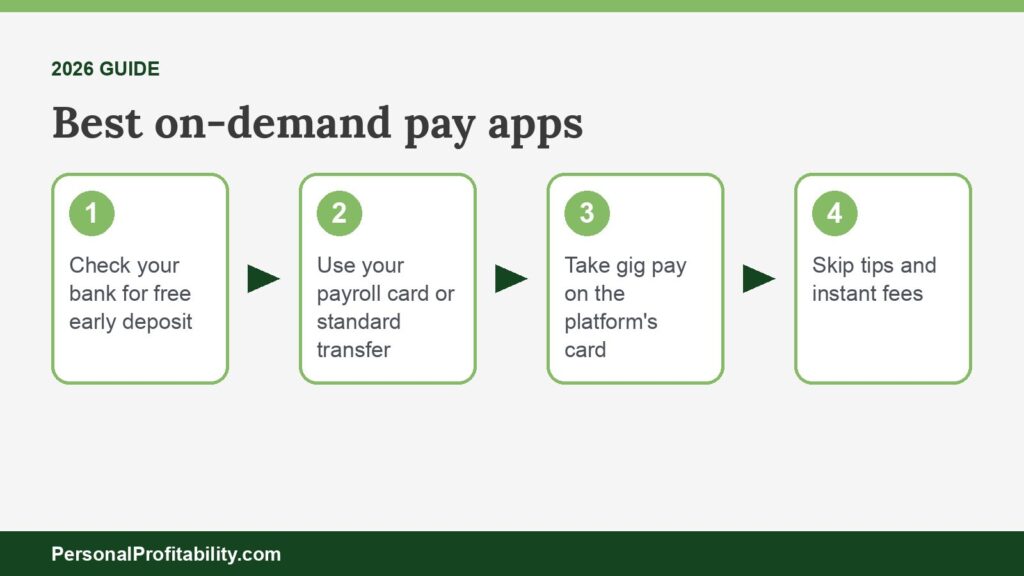
The best on-demand pay apps depend on where you work: Dayforce Wallet for payroll-built pay, Branch for employer apps, your platform’s free card for gig work, and EarnIn otherwise. Each pick has a $0 path, and this guide shows employees and gig workers where to find it. For the basics, start with our guide to earned wage access.
Eric Rosenberg, who founded Personal Profitability, wrote for Payactiv as a freelancer and later worked there as a marketing manager, until June 2026. Nobody at Payactiv reviewed this page. We held Payactiv to its own published fees and terms, the same standard we used for every other company here.
Personal Profitability may earn a commission from partner links on this page, at no cost to you. Partners don’t decide what we recommend or where it ranks. Fees and terms are each company’s as of 2026-10-24. Confirm them on the company’s site before you sign up.
Our picks at a glance
Our best on-demand pay apps fall into five groups. In each one, the winner lets you reach your money for $0.
| How you get paid | Best pick | The cost that decides it | The catch |
|---|---|---|---|
| Payroll-built on-demand pay | Dayforce Wallet | $0 to the Dayforce Wallet Card | $3.49 per transfer to an outside bank |
| Standalone employer EWA app | Branch | $0 instant to the Branch Wallet | ATM and inactivity fees on the Branch account |
| Gig-platform instant pay | The platform’s own payout card | $0 payouts after every trip or dash | You have to bank with the platform’s card partner |
| Early direct deposit | A checking account that offers it | $0, and no debt | Up to two days early, and only when your employer sends the file early |
| Direct-to-consumer advance | EarnIn | $0 standard transfer in 1–2 business days | Debits your bank on payday. Colorado AG lawsuit |
We verified fees and terms for the best on-demand pay apps on 2026-10-24.
A quick word on terms. Payroll companies say “on-demand pay,” fintech apps say “earned wage access,” and gig platforms say “instant pay” or “cashout.” Your employer or platform picks the option you get, so the job is finding the free path inside it. If you pull money every pay period, you have a budget gap, not a timing gap, and our guide to budgeting with irregular income will do more for you than any app.
Spend less, earn more and grow your wealth
Get my free 2026 Playbook with a checklist for your budget, credit, investing and side income, plus the free 7-day Bootcamp.
How on-demand pay apps work for employees
On-demand pay apps let an employee draw part of the wages already earned between paydays, and the employer or provider takes that amount back from the next paycheck.
- You work a shift. Your employer’s time clock or payroll system records your hours and earnings.
- The provider reads that record. The on-demand pay provider shows you an available balance, usually a share of your earnings after taxes and deductions.
- You request a transfer. You choose a free standard transfer, a free transfer to the provider’s card, or a paid instant transfer.
- Your employer settles up on payday. Your employer deducts what you took, plus any fee, and pays you the rest. Your pay stub shows the deduction as its own line.
Accessing pay this way isn’t a raise or extra income. You get the same paycheck, split into pieces. That’s why employers pitch on-demand pay as an employee benefit for timing problems, and why our guide to the earned wage access deduction walks through the paystub line. You skip the deduction step with gig instant pay and early direct deposit, because you never repay them.
Payroll-built on-demand pay: best pick Dayforce Wallet
Dayforce Wallet is the best payroll-built on-demand pay app. Dayforce charges $0 to send pay to its Wallet Card and lets employers open up to 100% of net pay.
Employers run payroll-built on-demand pay inside the payroll software they already use. Employees sign in with work credentials and see the deduction on their pay stub. Some payroll companies build the feature themselves. Most rent an on-demand pay engine from an EWA company, so employee fees follow that partner.
| Payroll platform | Engine | Worker fee | Limit |
|---|---|---|---|
| Dayforce | In-house (Dayforce Wallet) | $0 to the Wallet Card. $3.49 to an outside bank | Up to 100% of net pay, set by employer |
| Paycom | In-house (Everyday) | “No fee.” Vault card fees may apply | Net of taxes and deductions, minus a 10% default buffer |
| UKG Pro | Payactiv (UKG Wallet) | $0 bank in 1–3 days or UKG Visa card with $200+ direct deposit. $2.49 to the card without it. $3.49 to other cards | “A portion” of earned wages |
| Gusto | Clair (advances by Pathward) | $0 standard. $4.50 instant to Gusto Spending, $4.99 to a debit card | $800 a pay period to Gusto Spending, $200 to a debit card |
| QuickBooks Payroll | Clair (advances by Pathward) | $0 standard. Up to $4.99 instant | Based on timeclock and payroll data |
| Paychex | Payactiv (Pay on Demand) | Not published by Paychex | “A portion” of earned wages |
| Paylocity | Payactiv | $0 standard. Instant “for a small fee,” amount not published | Up to 50% of eligible gross pay |
| Paycor | Payactiv (Paycor Wallet) | $0 with $200+ direct deposit to the Paycor Visa card per pay period | Up to 50% of earned pay |
| ADP | Marketplace partners | Set by the partner. DailyPay for Wisely: one free instant transfer a week, then $3.49 | Set by the partner |
| Rippling | None found | n/a | n/a |
Fees and terms verified 2026-10-24.
Dayforce Wallet and Paycom Everyday
Dayforce includes Wallet with Dayforce Payroll at no extra cost to employers. Dayforce charges $0 to send on-demand pay to the Dayforce Wallet Card. Its FAQ lists $3.49 per transaction to an outside bank and $3.49 per instant transfer. Standard transfers off the card cost $0 and take one to three business days. Green Dot Bank, doing business as GO2bank, issues the card. Paycom’s Everyday comes close. Paycom charges employees “no fee” for daily wage access, withholds taxes and deductions first, and holds back a 10% buffer by default. Paycom says payouts generally arrive within 24 hours, and the Vault card carries its own fees. Sources: Dayforce Wallet FAQ and Paycom Everyday.
UKG Wallet
Payactiv powers UKG Wallet for UKG Pro. Payactiv’s UKG page lists $0 for a bank transfer in one to three business days, and $0 to the UKG Visa card with $200 or more of direct deposit. Without that deposit, the card transfer costs $2.49, and Venmo, PayPal, other debit cards, and cash pickup cost $3.49. The same page still carries an older block showing $2.25 for day-of transfers, so check the app before you pay. UKG picked ZayZoon as the exclusive EWA provider for UKG Wallet in UKG Ready, starting in early 2027. UKG Ready users should expect different fees then. Source: Payactiv’s UKG Wallet page.
Gusto and QuickBooks through Clair
Gusto and QuickBooks Payroll both offer on-demand pay through Clair, and Pathward, N.A. originates every advance. Gusto caps you at $800 a pay period ($200 per advance) to a Gusto Spending account. To an outside debit card, the cap is $200 a pay period ($100 per advance). Instant costs $4.50 or $4.99. QuickBooks charges up to $4.99 for instant and takes the fee from the advance. QuickBooks excludes employees in Connecticut, Massachusetts, Minnesota, New Mexico, Nevada, and South Dakota. Standard delivery is free on both.
The catch is Clair’s newer model. Clair says it approves advances with its “Clair Atlas” underwriting engine, using employment and cash flow data instead of a credit check. A Vermont disclosure on Clair’s site reads “THIS IS A LOAN SOLICITATION ONLY.” The CFPB’s covered EWA definition bars providers from assessing credit risk. In our reading, Clair sits closer to a small bank advance than classic EWA. Clair calls its advances no-interest and non-recourse. Sources: Gusto’s help article, QuickBooks’ help article, and Clair.
Paychex, Paylocity, and Paycor through Payactiv
Paychex, Paylocity, and Paycor all run on-demand pay on Payactiv, under their own brand names. Paychex calls its version Pay on Demand, inside Paychex Flex Perks. Paychex doesn’t publish worker fees, but says employees pay per use and only when they use it. Paylocity lets you request up to 50% of eligible gross pay and charges “a small fee” for instant. Paycor Wallet also caps you at 50% and waives the fee when you send at least $200 per pay period to the Paycor Visa card. Paychex now owns Paycor. Sources: Paychex, Paylocity, and Paycor.
ADP, Workday, isolved, and Rippling
ADP doesn’t run its own on-demand pay. ADP lists partners on its Marketplace, including DailyPay, Payactiv, Tapcheck, and Immediate, and ADP earns a commission on listings. The cheapest ADP setup we found is DailyPay Preferred for Wisely. You get one free instant transfer a week when your direct deposit goes to a Wisely card, then $3.49 per extra instant transfer, plus $0 next-business-day ACH. Workday named DailyPay its strategic on-demand pay partner on August 19, 2025, and also lists Payactiv. isolved offers Immediate, Tapcheck, Payactiv, ZayZoon, Wagestream, and DailyPay. We found no earned wage access or on-demand pay product on Rippling’s site. Source: ADP Marketplace listing.
Standalone earned wage access apps: best pick Branch
Branch is the best standalone earned wage access app, because Branch charges $0 to move an advance into the Branch Wallet instantly. DailyPay and OnePay @Work round out our top three.
- Branch: $0 instant to the Branch Wallet, $2.99 to $4.99 instant to a debit card for W-2 workers. Up to 50% of projected earned wages, $1,000 a pay period, $500 per request.
- DailyPay: $0 next-business-day ACH, $0 instant to the DailyPay Card with direct deposit. DailyPay’s terms list $1.99 to $3.99 for instant, set by your employer, while its fees page says $3.49. Up to $1,000 a day.
- OnePay @Work: $0 instant when your employer has configured it, and “a small fee” when it hasn’t. Walmart offers it to associates as a no-cost benefit.
Standalone apps differ from payroll-built pay in one way: you download a separate app, and the provider connects to your employer’s payroll behind the scenes. Our full roundup of the best earned wage access apps covers nine of them, including Payactiv, Rain, ZayZoon, Tapcheck, and Chime Enterprise EWA, with the cap and the catch for each. Our DailyPay review and Payactiv review go deeper on the two biggest names.
Gig-platform instant pay: best pick the platform’s own payout card
For gig work, the best on-demand pay app is the platform’s own payout card. Uber, Lyft, DoorDash, Instacart, and Amazon Flex all pay you for $0 on that card after every trip or batch.
| Platform | Paid option and fee | Free option | Limits and notes |
|---|---|---|---|
| Uber | Instant Pay to your own debit card: $1.25 per cashout on Uber’s driver page, $1.75 on its help page (free in NYC) | Uber Pro Card (Branch): free automatic payouts after every trip | Up to 6 cashouts a day, $3,000 per cashout, $6,000 a week |
| Lyft | Express Pay: $1.75 ($0 in New York) | Lyft Direct: instant payouts after every ride, no fee | 5 times in 24 hours, $6.75 minimum |
| DoorDash | Fast Pay: $1.99, once a day | Crimson: payout after every dash, no fee | Fast Pay isn’t available with Crimson |
| Instacart | Instant Cashout: “small fee,” amount not published | Shopper Rewards Card (Branch): automatic payout after every batch | Fee shows in the app |
| Amazon Flex | $0.50 to another debit card or a faster bank | Flex Debit Card: instant and free. Same-day or next-day bank transfer free | Limits not published |
| Grubhub | Instant Cashout: $0.50 (free for Chase customers) | A Chase account | $500 a day, no count limit. “There may be a fee in your market” |
| Walmart Spark Driver | None | OnePay: free instant pay after every trip | Tips arrive 24 to 48 hours later |
Fees and terms verified 2026-10-24.
Gig instant pay isn’t an advance. You already earned the money, and the platform holds it until its weekly payout, so the fee buys speed and nothing else. Uber’s two official pages disagree on the price ($1.25 vs. $1.75), and Uber says fees vary by market and show in the app’s Wallet, so trust the number you see before you tap. Grubhub flags the same market variation.
Small fees add up for drivers. Cash out once a day, five days a week, and you pay Uber $325 a year at $1.25. At Lyft’s $1.75 you pay $455, and at DoorDash’s $1.99 you pay $517.40. You pay $0 on each platform’s card. The trade-off: you bank with a partner such as Branch, Payfare and Stride Bank (Lyft Direct), or Starion Bank (Crimson). Read that card’s ATM fees first. Set aside tax money from each payout too. Our guide to taxes for gig workers shows how much.
Early direct deposit: free, but not an advance
Early direct deposit is the cheapest way to reach your paycheck before payday. Your bank releases a paycheck it already has notice of, for $0, and you owe nothing afterward.
Payroll moves by ACH. Your employer sends a payroll file a day or two before payday. Some banks credit your account the moment the file arrives, instead of waiting for the settlement date. That’s a deposit timing feature. You get your own paycheck sooner, with no fee, no repayment, and no deduction on your next pay stub. The trade-off is timing you can’t control: the bank can’t release a file your employer hasn’t sent.
| Bank or app | What it promises |
|---|---|
| Chime | Paycheck up to two days early with direct deposit, depending on when the payer submits the file |
| Varo | Paycheck up to two days faster, on the day Varo receives the deposit |
| Current | Paid up to two days early when you add direct deposit |
| SoFi | Early access typically up to two days before the scheduled payment date, but may vary |
| Capital One 360 Checking | Deposits may be available up to two days earlier |
| Cash App | “Get paid early” with direct deposit, no day count stated |
| EarnIn Early Pay | Paycheck up to two days early for $2.99 per paycheck |
Fees and terms verified 2026-10-24.
Notice the last row. EarnIn charges $2.99 per paycheck for the same idea several banks give away, which comes to $77.74 a year on a biweekly schedule. If you need two days of breathing room every pay period, moving your direct deposit to a free checking account with early deposit beats paying for it.
Direct-to-consumer advances: best pick EarnIn
EarnIn is the best direct-to-consumer advance when your employer offers no on-demand pay. EarnIn charges no subscription and offers a $0 transfer in one to two business days.
EarnIn lets you Cash Out up to $200 a day and $1,000 a pay period ($100 a day in New York, $150 in Maryland). EarnIn’s fee table, last updated September 30, 2026, lists Lightning Speed at $3.99 for $75 or less, $5.99 for $75.01 to $150, and $8.99 above $150. Prices differ in Indiana, Florida, Texas, Ohio, Illinois, Pennsylvania, and New York. EarnIn debits your bank account on payday, and Colorado’s attorney general sued EarnIn on August 27, 2026, alleging an average APR of nearly 388%. Our EarnIn review covers the new Cash Out Link overdraft product and the lawsuits.
Cash advance apps such as Dave, MoneyLion, Brigit, Chime MyPay, and Tilt work in a similar way, and most charge a monthly fee or a percentage for speed. Their cash advances come from your bank history and income deposits, not your employer’s record of your earnings. These apps pull repayment from your bank account, so they fall outside the CFPB’s December 2025 advisory opinion on covered EWA, which requires payroll deduction. Our guide to apps like Payactiv compares them, and our explainer on whether earned wage access is a loan covers the legal split.
What to look for in the best on-demand pay apps
Look for a published $0 option first, then check the limit, how you receive funds, and how the provider collects repayment, because those four details decide what instant access costs you.
- A free option in writing. Payactiv, DailyPay, Dayforce, and Branch all publish one. If a provider lists only “a small fee,” ask HR for the fee schedule before you sign up.
- The limit. A 50% cap, like Paylocity’s and Paycor’s, leaves more of your next paycheck for bills than a 100% cap does.
- Where you receive funds. Most free instant options require the provider’s card. Compare that card’s ATM and reload fees with the instant fee you’d avoid.
- Repayment. A payroll deduction can’t overdraft your bank account. A bank debit from a cash advance app can, and the GAO flagged unexpected overdraft fees as a risk.
- No credit check. Employer on-demand pay shouldn’t pull your credit. A provider that underwrites you, like Clair, works more like a loan.
- Other features. Many employee apps bundle financial wellness tools, such as savings goals, bill pay, and financial counseling. They’re nice extras, but the fee schedule matters more.
Your employer usually offers on-demand pay as one of its employee benefits, so the HR or benefits page should carry the provider’s name and fee information. If it doesn’t, the provider’s own pricing page is the next stop.
What fast pay costs in APR terms
A typical instant fee equals a triple-digit APR, because you pay a few dollars to move about $100 a week or two early. The CFPB’s 2024 data found a $106 average advance, a $3.18 average fee when workers paid one, and 27 uses a year.
| Scenario | Fee | Days early | APR equivalent | Yearly cost |
|---|---|---|---|---|
| CFPB average, $106 advance | $3.18 | 10 | 109.5% | $85.86 at 27 uses |
| $100 with a $3.49 instant fee | $3.49 | 7 | 182% | $94.23 at 27 uses |
| $100 to a debit card through Clair | $4.99 | 7 | 260% | $134.73 at 27 uses |
| $100 EarnIn Lightning Speed | $5.99 | 7 | 312% | $155.74 at 26 uses |
| Early direct deposit or standard transfer | $0 | Any | 0% | $0 |
A flat fee looks small until you convert it to an annual rate. The formula is the fee divided by the amount, times 365, divided by the days early, which gives you a rate you can compare with a credit card’s interest rate. The CFPB Data Spotlight got its 109.5% the same way. The GAO found $100 of EWA cost $0 to $10.08 across four products, against $10 to $30 for a typical payday loan. On-demand pay with a fee still beats a payday loan. Tips count as fees too, since they cost you the same dollars, so skip them. Our earned wage access fees guide runs more cases.
How we picked the best on-demand pay apps
We sorted on-demand pay options by where your pay comes from, then picked the one in each group with the clearest $0 path. We used each company’s published fees and terms, read from October 22 to October 24, 2026.
- Free path first. An option with a published $0 route beat one with a lower but unavoidable fee.
- Published numbers. Where a company says only “small fee,” we say so and don’t fill the gap from other sites.
- Repayment. Payroll deduction ranked above a bank debit, and a deposit you never repay ranked above both.
- The record. We weighed AG lawsuits and regulator findings, and we flagged models that look more like lending.
We didn’t test these apps hands-on or rank by app store ratings. Payactiv powers Paychex, Paylocity, Paycor, and UKG Wallet, which is why the disclosure above applies, and none of our group picks is Payactiv. Employers comparing vendors should read our guide to the best earned wage access providers.
When none of the best on-demand pay apps fit
If no on-demand pay option fits, a starter emergency fund beats all of them, and a few free moves can buy you time.
- Start a buffer. The Federal Reserve found 37% of adults couldn’t cover a $400 emergency with cash in 2025. Our emergency fund guide shows how to build one.
- Call the biller. Ask the utility or landlord to move the due date a few days. A phone call costs nothing.
- Get fees back. Use our script for getting overdraft fees refunded.
- Find fast cash safely. Our guide on how to get money in a hurry lists other quick options.
- Skip payday loans. See our earned wage access vs payday loan comparison.
State law matters too. Connecticut caps EWA fees at $4 per advance and $30 a month, and Maryland banned EWA tips on October 1, 2026. Our tracker of earned wage access laws lists the 12 states with EWA laws or regulations.
Frequently asked questions about on-demand pay apps
Find the $0 path in the option you already have
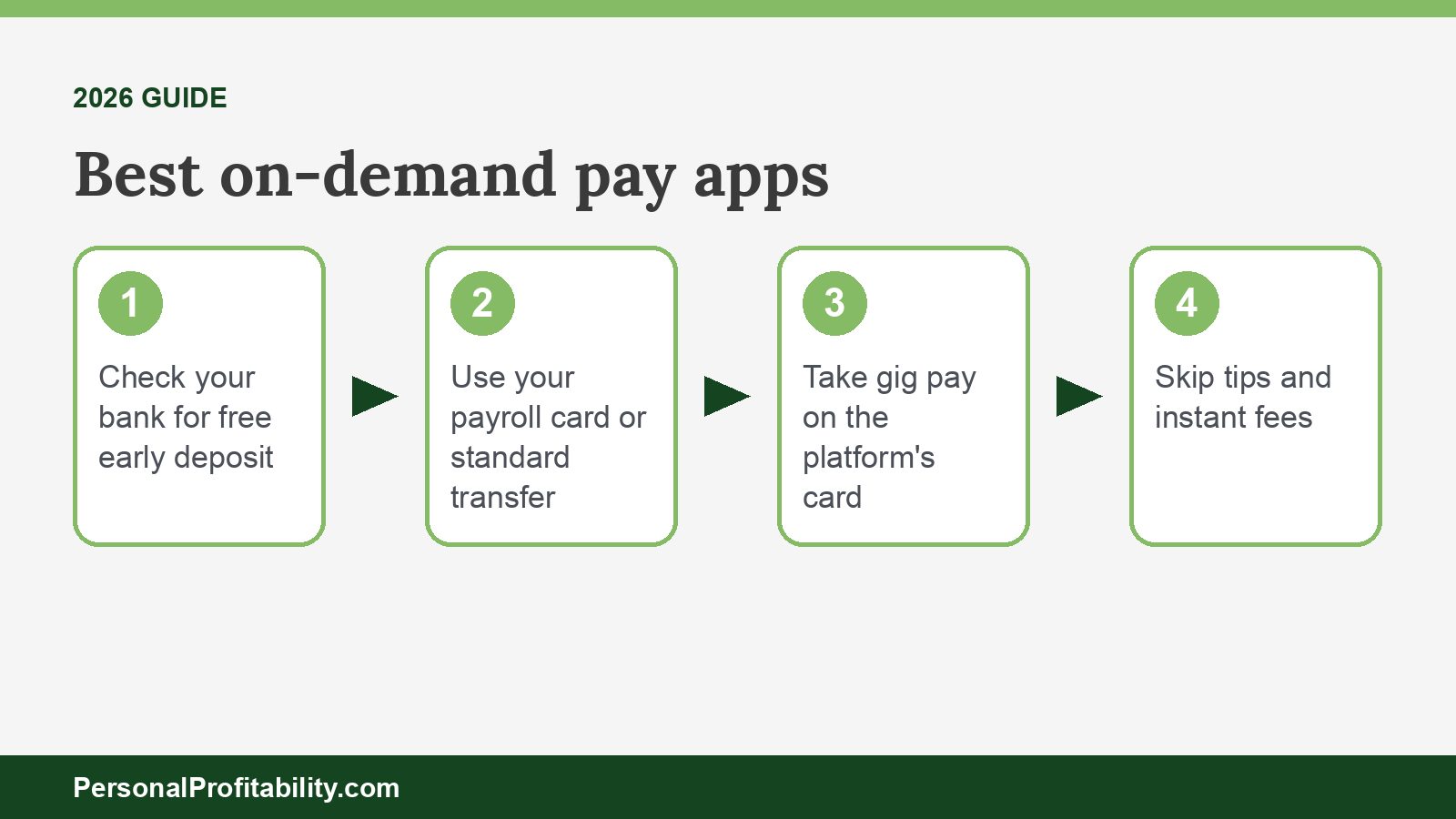
Of the best on-demand pay apps, pick the one you already have access to and use its free option. Check whether your bank offers early direct deposit. Use your payroll provider’s card or a standard transfer, and take gig pay on the platform’s own card. Skip tips and instant fees, then send what you save to a buffer so you need early pay less often. For the full picture, see our earned wage access guide or browse the earned wage access category.

Free guide
Spend less, earn more and grow your wealth
Get my free 2026 Playbook with a checklist for your budget, credit, investing and side income, plus the free 7-day Bootcamp.
- Track your money with the tools that still work in 2026
- The order to invest in, with the 2026 401(k) and IRA limits
- Three ways to earn your first $100 on the side this month
Bonus: The 7-day Personal Profitability Bootcamp, one short lesson in your inbox each day