
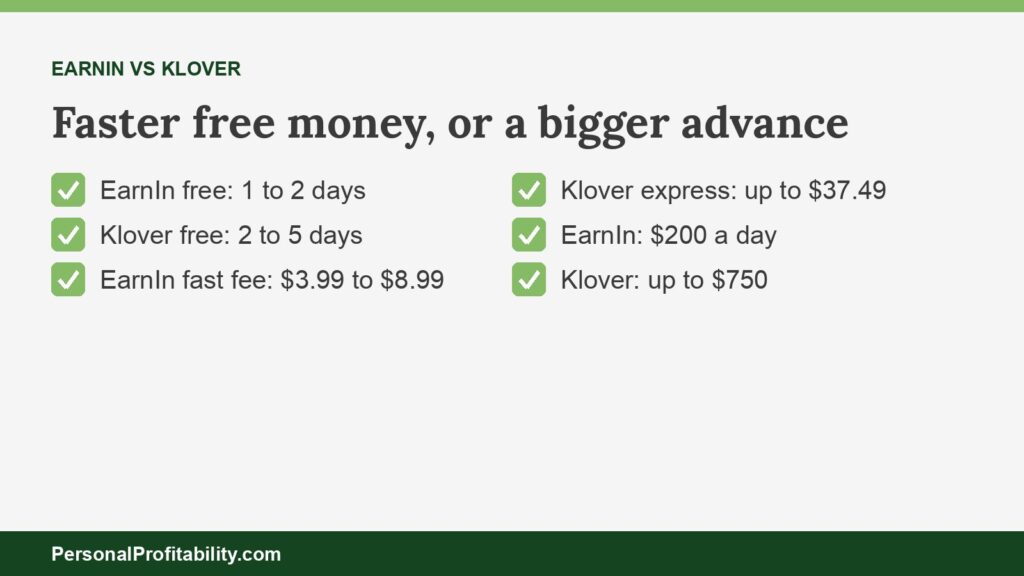
EarnIn vs Klover comes down to speed and size: EarnIn’s free transfer usually takes one to two business days and its fast fee tops out at $8.99, while Klover’s free transfer takes two to five business days and its express fee climbs to $37.49 on $750. EarnIn costs less at nearly every advance size. Klover lets you take more in a single request and asks for your data in return. Our guide to earned wage access explains how both apps work.
Personal Profitability may earn a commission from partner links on this page, at no cost to you. Partners don’t decide what we recommend or where it ranks. Fees and terms are each company’s as of 2026-10-31. Confirm them on the company’s site before you apply.
Last checked: October 31, 2026, against each company’s own fee and terms pages.
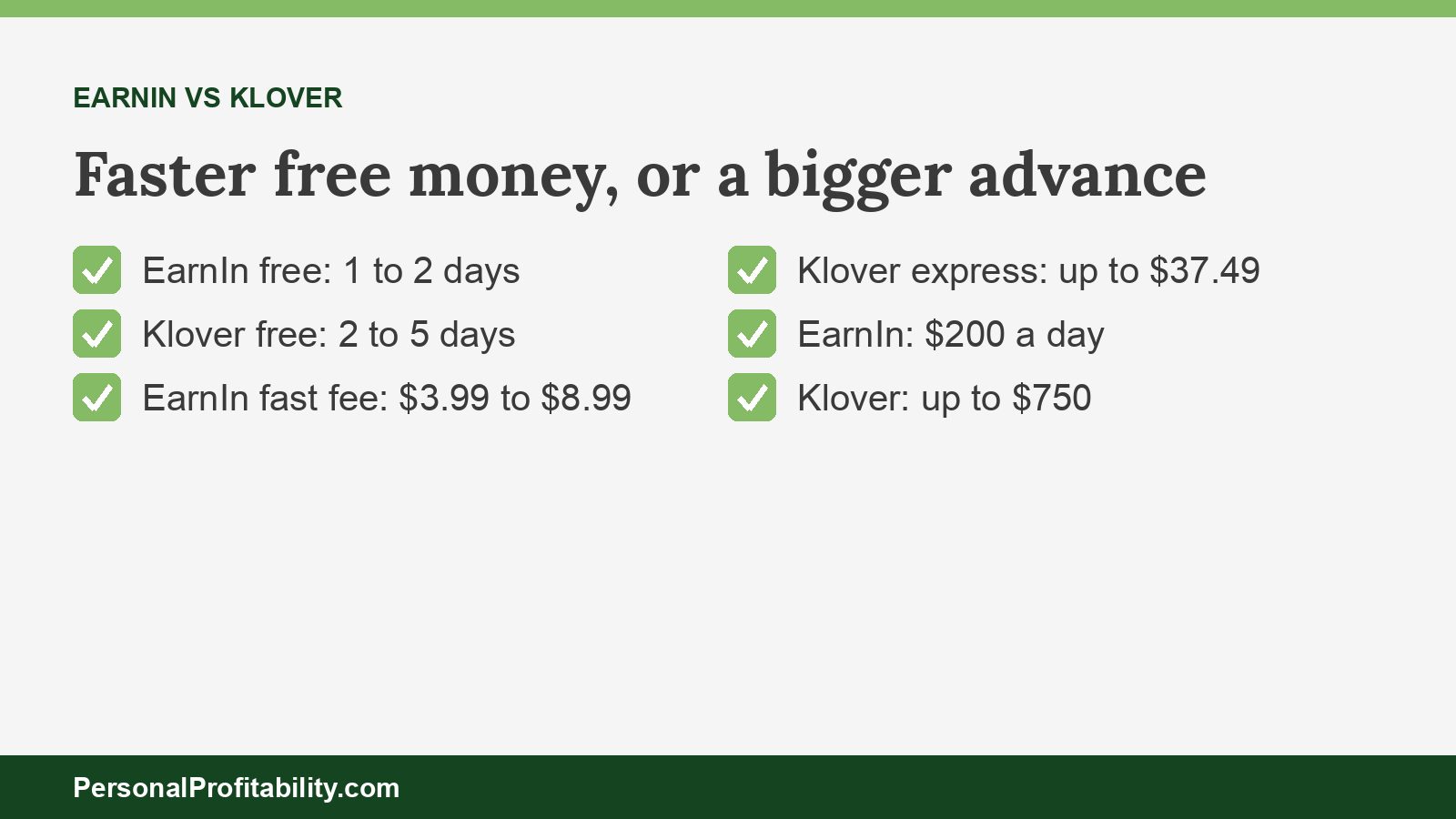
EarnIn vs Klover at a glance
Both apps skip the credit check, interest, and mandatory fees, and they split on three things: how fast the free money arrives, how much speed costs, and what each company asks of you. We took every figure from each company’s own fee table, pricing page, FAQ, or terms.
| Feature | EarnIn | Klover |
|---|---|---|
| Free path | Standard transfer, $0, 1–2 business days in EarnIn’s FAQ, up to 3 on its Cash Out page | Standard transfer, $0, “usually” 2–5 business days |
| Fast delivery fee | Lightning Speed within minutes: $3.99 ($75 or less), $5.99 ($75.01–$150), $8.99 (over $150) | Express within minutes, with a fee “up to” $3.99 on $25, rising to $37.49 on $750 |
| When you pay the fee | Added to your payday debit | Collected when you repay |
| Subscription | None | Klover+ is optional, with a $4.99 monthly membership fee |
| Tips | Optional (none in Colorado and Wisconsin) | None on Klover’s pricing page |
| Limit | Up to $200 a day and $1,000 a pay period ($100 a day in New York, $150 in Maryland) | Up to $750, average around $170 |
| How you qualify | Consistent direct deposit, plus a work email or work location if you have a job | Direct deposit income. A new job counts after three consistent deposits |
| What you trade | Job verification (work email, GPS location, or timesheets) | Points for surveys, ads, and receipt scans, and consent to data use for advertising and marketing |
| If you can’t repay | EarnIn debits your bank on payday | Non-recourse: no collections, but no new advances until you settle |
| State limits | No Cash Out in Connecticut | No express fees in Connecticut or Maryland. Separate pricing in Indiana and Wisconsin |
| Legal matters | Colorado AG suit (pending). D.C. AG suit (mostly dismissed, per EarnIn’s counsel) | No regulator action found |
| App Store rating | 4.79 (464,096 ratings) | 4.76 (396,041 ratings) |
Fees and terms verified 2026-10-31. App ratings as of October 2026. Customer reviews on the App Store rate both apps highly, and those stars reflect speed and convenience, not what you paid. Sources: EarnIn’s fee table (last updated October 29, 2026) and Cash Out page, and Klover’s pricing page, FAQ, and terms (last updated October 19, 2026).
Spend less, earn more, and grow your wealth
Get my free 2026 Playbook with a checklist for your budget, credit, investing, and side income, plus the free 7-day Bootcamp.
Free paths: who gets you $0 money faster
EarnIn’s free transfer arrives faster, usually in one to two business days against Klover’s two to five, and both cost $0.
Klover’s FAQ says “standard transfers usually take between two and five business days,” and section 6.1 of Klover’s terms says the same. EarnIn’s FAQ says standard transfers “usually take 1–2 business days.” The “How it works” section of EarnIn’s Cash Out page says “1-3 business days,” so plan for three to be safe.
That gap decides more than the fee tables do. If rent is due Friday and today is Monday, EarnIn’s free transfer will likely land in time, and Klover’s might not. The free path is the one Personal Profitability recommends on both apps, because a few dollars on a short advance works out to a triple-digit APR. Our earned wage access fees guide shows that math for every major provider.
Your state can change the picture. Klover’s terms say users in Connecticut and Maryland “do not have access to paying Express Fees,” so Connecticut and Maryland users always wait for the free transfer. EarnIn doesn’t offer Cash Out in Connecticut at all, and EarnIn caps Maryland residents at $150 a day.
What instant cash costs at each advance size
For instant delivery, EarnIn charges less than Klover’s maximum express fee at every size above $25, and the gap widens as the advance grows.
Klover lists each express fee as “up to” an amount, so Klover may charge you less in the app. We used Klover’s published maximums, the only fee figures Klover commits to in writing. Same assumptions on both sides: instant delivery, repaid in 14 days, EarnIn’s standard pricing, no tip, and no Klover points applied.
| Advance | EarnIn Lightning Speed | Klover express, maximum | EarnIn APR (14 days) | Klover APR (14 days) |
|---|---|---|---|---|
| $25 | $3.99 | $3.99 | 416% | 416% |
| $50 | $3.99 | $5.99 | 208% | 312% |
| $75 | $3.99 | $7.75 | 139% | 269% |
| $100 | $5.99 | $9.49 | 156% | 247% |
| $150 | $5.99 | $12.49 | 104% | 217% |
| $200 | $8.99 | $15.25 | 117% | 199% |
To check a row, divide the fee by the advance, multiply by 365, and divide by 14. On $100 at Klover: $9.49 divided by $100 is 0.0949, times 365 is 34.6, divided by 14 is 2.47, or 247%. EarnIn’s $5.99 on the same $100 comes to 156%.
Above $200, only Klover can send the money in one request. Klover lists up to $19.99 on $300, $28.49 on $500, and $37.49 on $750. EarnIn’s Daily Max stops at $200. The state rules shift EarnIn’s column too: Indiana and Florida residents pay 5% with a $3.99 minimum, New York residents pay $3.99 on $100 or less and $5.99 above, and Colorado and Wisconsin residents pay $4.99 to $9.99.
Yearly cost for three kinds of users
Over a year of paid instant transfers, Klover’s maximum fees cost about 50% to 110% more than EarnIn’s, and both cost $0 if you wait.
Same assumptions on both sides as the table above: every advance by instant delivery, Klover’s published maximum fee, no Klover+ membership, and no points.
| Pattern | EarnIn, Lightning Speed | Klover express, maximum | Either app, free transfer |
|---|---|---|---|
| $50, twice a month (24 times) | 24 × $3.99 = $95.76 | 24 × $5.99 = $143.76 | $0 |
| $150, once a month (12 times) | 12 × $5.99 = $71.88 | 12 × $12.49 = $149.88 | $0 |
| $200, every payday (26 times) | 26 × $8.99 = $233.74 | 26 × $15.25 = $396.50 | $0 |
The $200-every-payday row is the one to avoid on either app. At $233.74 or $396.50 a year, you’re paying a steep price for a timing gap that has turned into a budget gap. A starter emergency fund of one paycheck’s advance, built a little at a time, ends that cost. Our beginner’s guide to budgeting shows where to find the money.
Klover vs EarnIn on limits
Klover advertises up to $750 in one advance, and EarnIn advertises up to $1,000 a pay period but only $200 a day, so Klover wins on a single large request and EarnIn wins over a full pay period.
- Klover: “You can get up to $750 of your paycheck early with Klover,” per its FAQ, though “most cash advances start smaller, usually between $25 and $750, with the average around $170.” Klover says points can raise your limit, and Klover’s homepage says Klover charges “zero interest or late fees.” The optional Klover+ membership adds spending and savings goals, credit score tracking, and extra points when you save. Unlike Klover, EarnIn sells no membership at all. To qualify, you need a linked bank account, direct deposit income, and recent, consistent pay. A new job counts after three consistent direct deposits from your employer.
- EarnIn: Cash Out runs up to $200 a day and $1,000 a pay period. EarnIn sets your Max from your bank balance, paycheck history, on-time repayment, and how few other cash advance apps you use, per its Max article. EarnIn requires a consistent direct deposit schedule and a checking account, and EarnIn accepts Social Security, SSDI, SSI, and VA payments, but not unemployment.
Say you need $500 for a car repair today and both apps approve you for the top amount. Klover could send $500 in one request for up to $28.49. EarnIn would need three days of transfers, $200, $200, and $100, at $8.99, $8.99, and $5.99, or $23.97 total, with the last $100 arriving on day three. EarnIn costs less, and Klover gets you the whole amount sooner. Few new users see either top number.
The data trade: Klover’s points program, ads, and your bank history
Klover pays you points for your attention and gets your consent to use your data for advertising, while EarnIn asks for proof of your job instead.
Klover’s FAQ says you earn points by “taking surveys, scanning receipts, or inviting friends.” Klover’s pricing page sets the rate: “500 points is equivalent to $1.00,” and the page says points offset express fees “in your Klover+ account.” To erase the $9.49 express fee on a $100 advance, you’d need 4,745 points. To erase 12 monthly $150 advances at $12.49 each, you’d need 74,940. Klover doesn’t publish how many points a survey or an ad pays, so you can’t price your time before you start.
Klover’s homepage says Klover offers its tools and advances by “leveraging your most valuable asset,” which Klover names as your data, and promises the data is “always anonymized.” The bigger trade sits in section 2 of Klover’s terms. By signing up, you consent to “the use of your information to support advertising, marketing, and data services” that Klover’s affiliates offer their business customers. That’s how Klover can skip a required subscription. Some readers will accept that deal for a no-credit-check advance. If you’d rather keep your transaction history to yourself, weigh the clause before you link your bank.
Unlike Klover, EarnIn runs no points program. EarnIn’s trade looks different. EarnIn verifies your earnings through a work email, GPS work location, motion, Bluetooth, or uploaded timesheets, per its earnings article. EarnIn also prompts for optional tips in most states. Tips are fees with better marketing, so set every tip to $0.
Repayment, and what happens if you can’t pay
Both apps collect from your bank account on or after payday, and Klover’s terms promise no collections if your account comes up short.
- Klover repays “automatically on your next payday.” Klover’s terms let Klover debit your account any time after the later of a date when Klover sees income land or a date you select. Section 6.4 says “Klover is a non-recourse product and Klover users have no obligation to repay their Balance Advances.” Klover’s FAQ adds that Klover won’t send your account to collections or sue, but “an unpaid balance can pause your ability to request a new advance.”
- EarnIn debits your linked bank account on payday for the amount you transferred, “plus any optional tips or fees,” per its repayment article. You can reschedule by contacting EarnIn’s support team at least one business day before the debit date.
Most people use these cash advances to cover bills and avoid overdrafts, and the repayment can cause the overdraft you meant to avoid. A late paycheck can leave your checking account short when the debit hits, and your own bank can charge an overdraft fee. Neither company runs a credit check or reports these advances to the bureaus. If your balance often sits near zero, read our guide on overdraft lines of credit before you use either app.
Lawsuits and regulators
Two attorneys general have sued EarnIn, and we found no regulator or attorney general action against Klover.
- EarnIn, Colorado: Attorney General Phil Weiser sued on August 27, 2026. The AG says EarnIn made more than 3.1 million loans to 56,778 Coloradans and collected more than $16 million in tips and Lightning Speed fees. Status: pending.
- EarnIn, D.C.: the D.C. attorney general sued on November 19, 2024, alleging an average APR over 300%. EarnIn’s counsel says a court dismissed most claims in May 2025.
- Klover: we found no regulator or attorney general enforcement action against Klover as of October 31, 2026. Klover’s terms add disclosures for Utah users before each advance and send Indiana and Wisconsin users to state pricing pages.
The CFPB’s December 2025 advisory opinion says covered earned wage access isn’t credit under federal law, and states keep writing their own rules. Our explainer on whether earned wage access is a loan and our earned wage access laws tracker cover both fronts.
EarnIn vs Klover: which should you pick?
Pick EarnIn for cheaper instant cash and a quicker free transfer, and pick Klover only when you need more than $200 in a single request or can’t share job details.
Pros and cons of each
| EarnIn | Klover | |
|---|---|---|
| Pros | Free transfer, usually in 1–2 business days. Fast fee capped at $8.99. Up to $1,000 a pay period. No subscription. | Up to $750 in one request. No required subscription and no tips on its pricing page. Non-recourse terms in writing. No regulator action found. |
| Cons | A $200 daily cap, plus work verification for people with jobs. Tip prompts in most states. Two AG suits. | Express fees up to $37.49. Free transfers take 2–5 business days. Your data supports advertising and marketing services. |
Pick EarnIn if
- You want free money within one to three business days.
- You’d pay for instant cash advances of $50 to $200, where EarnIn charges less.
- You’d rather prove your job than watch ads or answer surveys.
Pick Klover if
- You need $300 to $750 in one request and Klover approves that amount.
- Your work setup doesn’t fit EarnIn’s verification, and your pay arrives by direct deposit.
- You live in Connecticut. Klover serves Connecticut users on the free transfer, and EarnIn offers no Cash Out service in the state.
- You’re comfortable with Klover’s data terms.
Skip both if
- Your employer offers a pay-access program that repays through payroll. See how EarnIn compares with an employer program.
- You’d take an advance every pay period. That’s a budget problem, and our guide to getting money in a hurry lists options that don’t repeat every two weeks.
Go deeper with our EarnIn review and Klover review, or compare alternatives in apps like Klover and apps like EarnIn. Other matchups: EarnIn vs Dave, EarnIn vs Brigit, and Dave vs Brigit.
EarnIn vs Klover FAQ
EarnIn vs Klover: the bottom line
EarnIn wins the EarnIn vs Klover matchup on price and on the free path. EarnIn’s fast fees run $3.99 to $8.99, and its free money usually arrives in one to two business days. Klover wins one narrow case, a single advance above $200, and asks for your data and your patience in return. Take the free transfer whenever you can plan a few days ahead, tip $0, and treat a monthly advance as the cue to start a cash cushion.
For every no-employer option in one place, see earned wage access without an employer, or read earned wage access vs cash advance for where these apps fit.

Free guide
Spend less, earn more, and grow your wealth
Get my free 2026 Playbook with a checklist for your budget, credit, investing, and side income, plus the free 7-day Bootcamp.
- Track your money with the tools that still work in 2026.
- The order to invest in, with the 2026 401(k) and IRA limits.
- Three ways to earn your first $100 on the side this month.
Bonus: The 7-day Personal Profitability Bootcamp, one short lesson in your inbox each day