
The best earned wage access providers for most employers are DailyPay, ZayZoon, Branch, and Payactiv, because each gives workers a free way to get paid early and plugs into major payroll systems. If you’re new to the idea, start with our guide to earned wage access, then come back to pick a provider.
Eric Rosenberg, who founded Personal Profitability, wrote for Payactiv as a freelancer and later worked there as a marketing manager, until June 2026. Nobody at Payactiv reviewed this page. We held Payactiv to its own published fees and terms, the same standard we used for every other company here.
Personal Profitability may earn a commission from partner links on this page, at no cost to you. Partners don’t decide what we recommend or where it ranks. Fees and terms are each company’s as of 2026-10-24. Confirm them on the company’s site before you sign up.
Facts verified 2026-10-24. This page is for the people who choose the benefit: owners, HR leads, and payroll managers. Your employees pay the fees, so we judged every provider by what a worker pays to get money today and whether a free path exists. Employees comparing apps on their own can use our best earned wage access apps roundup instead.
Best earned wage access providers: our picks at a glance
Twelve EWA providers made our list. The cost that decides each one is the employee’s instant fee, since almost every provider says it charges employers nothing.
| Provider | Best for | The cost that decides it | The catch |
|---|---|---|---|
| DailyPay | Large employers on Workday, SAP, ADP, or Oracle | Free next-day ACH. Instant $1.99–$3.99 in its terms, $3.49 on its fees page | New York’s attorney general sued it in 2025 |
| ZayZoon | Small and midsize businesses buying through payroll | Free to the ZayZoon Visa card. Up to $5 near-instant | No published access cap |
| Branch | Tipped staff and 1099 contractors | Free instant to Branch Wallet. $2.99–$4.99 to a debit card | Flex model repays from a bank account |
| Payactiv | Employers on Paychex, Paylocity, Paycor, or UKG | Free to its card with $200+ direct deposit. Otherwise $2.49 or $3.49 | Cap of about 50% and $500 a pay period in most cases |
| Rain | Enterprises that want a firm 50% cap | Free ACH in 1–3 days. Instant fee not published | You can’t see the instant price before signup |
| Tapcheck | Employers who want 70% access and a written $0 employer cost | Free only through gift cards. Tapcheck keeps its transfer fee private | Next-day delivery has a fee too |
| Chime Enterprise | Employers who want free instant pay | $0 instant to a Chime account | Speed to other banks isn’t stated |
| OnePay @Work | Employers willing to configure free instant pay | Free instant if you set it up | Fee amount not published if you don’t |
| Immediate | Restaurants and service businesses on mid-market payroll | Free next-day ACH, paycard, merchant cards | Real-time bank fee not published |
| Instant Financial | Employers that pay out digital tips | “Always a way” to get paid at no cost | 3.1 Google Play rating |
| Stream | Employers with UK and US staff | Free standard transfer in 1–3 days | Small US footprint, fee not published |
| Clair | Small businesses already on Gusto or QuickBooks | Instant $4.99 to a bank | Bank-originated advances with underwriting |
Fees and terms verified 2026-10-24.
Worker fees tell you what your employees will spend between paydays to use the benefit you picked. The Consumer Financial Protection Bureau’s 2024 data spotlight found that about 90% of employees at employer-partnered providers paid at least one fee, and that employers covered less than 5% of total fees. So “free to employers” usually means your employees pay at each early payday. Our earned wage access fees page does the APR math on every provider.
Spend less, earn more and grow your wealth
Get my free 2026 Playbook with a checklist for your budget, credit, investing and side income, plus the free 7-day Bootcamp.
DailyPay: best for large employers on Workday, SAP, ADP, or Oracle
DailyPay fits big employers best, since it says it connects to more than 180 HCM, payroll, and time systems and names Workday, SAP, ADP, and Oracle as partners. Workday named DailyPay its strategic on-demand pay partner in August 2025. DailyPay says it works with more than 2,000 companies, and it bundles financial wellness tools such as a savings balance, Bill Manager, and in-app financial counseling.
- Employer cost: DailyPay’s homepage promises “no cost or disruption to your business” and publishes no price.
- Worker free path: next-business-day ACH at $0, per its June 3, 2026 Program Terms. Its fees page says 1–3 business days. DailyPay waives the fee on transfers to a DailyPay Card set up with direct deposit.
- Instant fee: the Program Terms list $1.99 to $3.99 and say fees vary by employer. The fees page lists $3.49 flat. Your contract sets the number.
- Cap: up to 100% of what the app shows as available, with $1,000 a day, or $1,500 a day to the DailyPay Card.
- Funding model: DailyPay buys the earned pay. After the first transfer, your payroll sends the worker’s full net pay to a DailyPay account number, and DailyPay forwards the rest on payday. DailyPay lists $960 million in borrowing capacity.
The catch is legal and operational. New York Attorney General Letitia James sued DailyPay on April 14, 2025, saying its most common advance, $20 for seven days with a $2.99 fee, works out to over 750% APR. DailyPay denies the advances are loans and sued first. We found no ruling as of October 2026. Your payroll team also has to accept the direct deposit switch. Read our DailyPay review for the full terms.
ZayZoon: best for small and midsize businesses that buy through payroll
ZayZoon is the strongest fit for small and midsize businesses, because it sells mainly through payroll companies and claims more than 300 payroll partners. ADP named ZayZoon its 2023 Marketplace Partner of the Year, and UKG picked ZayZoon in October 2026 as the exclusive EWA provider for UKG Wallet in UKG Ready, rolling out in early 2027.
- Employer cost: not published. ZayZoon’s terms say an employer can choose to pay the worker’s fees.
- Worker free path: $0 to the ZayZoon Visa card or to gift cards through its Boost feature.
- Instant fee: “up to $5” per near-instant transfer, including Venmo and Zelle. Connecticut workers pay $4, one per pay period.
- Cap: not published.
- Funding model: ZayZoon issues payouts “on a nonrecourse basis” and won’t pursue a worker personally except for fraud. It charges no subscription, enrollment, or inactivity fees, per its USA terms.
ZayZoon lists licenses or registrations in California, Connecticut, Indiana, Kansas, Maryland, Missouri, Nevada, South Carolina, Utah, and Wisconsin, which saves your compliance lead some digging. The downside is price. $5 is the highest instant fee among the employer providers that publish one, and ZayZoon doesn’t say how much of a paycheck a worker can reach. Ask for both numbers in writing.
Branch: best for employers with tipped staff and 1099 contractors
Branch suits restaurants, staffing firms, and gig platforms, because it handles EWA, cashless tips, and 1099 contractor payouts in one wallet. Union Square Hospitality Group and Nursa appear in its case studies.
- Employer cost: “no cost to your business,” with “no pre-funding, no escrow,” per Branch.
- Worker free path: instant to the Branch Wallet at $0, or standard ACH to an outside bank in 3–5 business days at $0.
- Instant fee: $2.99 to $4.99 by amount for W-2 workers moving money to a debit card. Contractors pay 2%, with a $2.99 minimum.
- Cap: up to 50% of projected earned wages in a pay period, up to $1,000, and $500 per request.
- Funding model: Branch Core repays through a payroll deduction. Branch Flex skips the payroll integration and repays from the worker’s linked checking account when the next payroll deposit lands.
Branch names no specific payroll partners on the pages we read, so ask whether it integrates with yours. Evolve Bank & Trust or Lead Bank provides the banking behind the Branch Wallet. The catch for your compliance team: Flex collects from a bank account, and the CFPB’s covered-EWA definition requires repayment through a payroll deduction. Branch doesn’t offer Flex in Connecticut. Workers who leave money on the Branch card also face ATM fees after eight free in-network withdrawals a month.
Payactiv: best for employers on Paychex, Paylocity, Paycor, or UKG
Payactiv makes the most sense when your payroll company already uses it, because Payactiv runs the on-demand pay inside Paychex Flex Perks, Paylocity On-Demand Pay, Paycor Wallet, and UKG Wallet. Payactiv says it serves more than 245,000 businesses and lists ADP, Paychex, UKG, Paycor, Oracle, and Workday among its partners. Its employee financial wellness features include goal-based savings, bill pay, a discount marketplace, and financial counseling.
- Employer cost: employers can offer it “at no cost,” per Payactiv.
- Worker free path: ACH to a bank in 1–3 business days at $0. Real-time transfers to the Payactiv Visa card cost $0 with direct deposit of at least $200 per pay period.
- Instant fee: $2.49 to the Payactiv card without that direct deposit. $3.49 to other debit or payroll cards, Venmo, PayPal, or Walmart cash pickup, per its pricing page.
- Cap: “a portion” of earned wages on its pricing page. Its FAQ says up to 50% and $500 a pay period in most cases.
- Funding model: Payactiv deducts what a worker took from the next paycheck. Its pages don’t say whether an employer prefunds anything.
Payactiv says it dropped its standard EWA fees in 2022 and promises “always a free option and never any tips.” The catch is a cap that holds only “in most cases” and a split integration count: Payactiv’s own site says 150+ systems on one page and 190+ partners on another. Ask for your workforce’s access percentage before you sign. Our Payactiv review and Payactiv vs DailyPay comparison go deeper.
Rain: best for enterprises that want a firm 50% cap
Rain fits employers that want a hard limit on how much pay workers can pull, since Rain caps access at 50% of current-period earnings. Rain says it has pre-built connectors to more than 100 platforms and names Workday, SAP SuccessFactors, Paylocity, ADP Workforce Now, ADP Vantage HCM, ADP Lyric, UKG Pro Workforce Management, and Microsoft Teams.
- Employer cost: not published as a number.
- Worker free path: bank ACH in 1–3 days at $0, per Rain.
- Instant fee: a “small fee” to any card. Rain’s EWA Agreement uses $3.99 only as an example and says Rain may lower the fee for its own card.
- Cap: 50% of current-period earnings.
- Funding model: Rain funds every transfer. You run payroll as normal with Rain’s adjustments, then reimburse Rain for what workers took. Rain’s agreement says workers generally aren’t responsible for repaying it.
Rain’s financial wellness tools include free tax filing, financial coaching, automated savings, and a Balance Protection feature that moves earned wages to checking when an employee’s balance drops below $100. Rain’s weak spot is disclosure. Rain doesn’t publish its instant fee, so neither you nor your employees can compare it before signing. Rain holds California DFPI and Wisconsin registrations, and Pathward, N.A. issues its debit card.
Tapcheck: best for employers who want 70% access and a written $0 employer cost
Tapcheck gives workers the highest published share of pay in this group, up to 70% of net earnings, and says “Tapcheck is 100% free for employers.” Tapcheck claims more than 12,000 businesses and connections to 300+ payroll and timekeeping systems, with ADP and Paychex named. Tapcheck is also an ADP Marketplace Platinum Partner.
- Employer cost: $0, per Tapcheck.
- Worker free path: gift cards through Prizeout, where Tapcheck waives the fee.
- Instant fee: “one flat ATM-like fee.” Tapcheck doesn’t publish the amount. Next-day delivery costs “a lower transaction fee,” not zero.
- Cap: 70% of net pay after taxes and deductions. Tapcheck says available wages are “typically $100 per day.”
- Funding model: Tapcheck deducts requests from the next paycheck as a pay stub line item, with no direct deposit change.
Tapcheck keeps one of the cleanest license pages we found, covering 11 states plus notes for Arkansas and Louisiana. The catch is the cash path: a worker who wants dollars in a bank account pays something every time, and Tapcheck won’t say how much until the worker opens the app. Our earned wage access deduction guide shows how that pay stub line reads.
Chime Enterprise: best for employers who want free instant pay
Chime Enterprise suits employers who want workers to pay nothing for speed, because Chime lists “$0 Instant to Chime account” and says it has “no paid ‘instant’ transfers.” Chime names Workday and UKG as integrations.
- Employer cost: no price published. Chime says “no employer funding required.”
- Worker free path: instant to a Chime account at $0.
- Instant fee: none, per Chime Enterprise.
- Cap: not published. Chime ties balances to synced wage data.
- Funding model: Chime says it needs no payroll rerouting and no employer funding.
Watch the fine print. Chime’s FAQ says workers can use any bank account, but the $0 instant line applies to a Chime account, and Chime doesn’t say how fast money reaches anyone else’s bank. Chime also sells its own checking account, so expect a nudge toward it. Chime publishes no employer price, so get every term in writing.
OnePay @Work: best for employers willing to configure free instant pay
OnePay @Work, formerly Even and then ONE@Work, fits employers who’ll switch on free instant delivery, because OnePay makes instant Instapay free only when the employer configures it. Walmart offers OnePay @Work to its associates, and OnePay says it powers instant earnings for millions of delivery drivers.
- Employer cost: “at no cost to your business,” per OnePay.
- Worker free path: every Instapay delivery option except unconfigured instant deposit.
- Instant fee: “a small fee” if you haven’t set up free instant. OnePay doesn’t publish the amount.
- Cap: “part of your net earnings,” with no percentage.
- Funding model: OnePay connects to payroll and timekeeping data and requires no OnePay deposit account. It doesn’t describe repayment on the pages we read.
OnePay names no payroll integrations, only “most major” platforms. Coastal Community Bank or Lead Bank provides the banking. Keep OnePay Advance, a separate overdraft feature with a flat 3% fee, out of your benefit discussions so workers don’t confuse the two.
Immediate: best for restaurants and service businesses on mid-market payroll
Immediate fits hourly and tipped workplaces on mid-market payroll, because Immediate names its integrations outright: ADP Workforce Now, APS, Asure, BambooHR, isolved, Paychex, Paycor, Paylocity, PrismHR, TriNet, and point-of-sale systems.
- Employer cost: “Immediate is free for employers,” per Immediate.
- Worker free path: next-day ACH, a paycard, or merchant cards at $0.
- Instant fee: “one flat, nominal fee” for real-time bank delivery. Immediate doesn’t publish the amount.
- Cap: not published. Immediate cites “employer-guided guardrails.”
- Funding model: a payroll deduction model.
Immediate also runs cashless tips and off-cycle payments, and ADP lists an Immediate app for RUN, ADP’s small business payroll. The catch is the same blank fee line most smaller providers leave. Get the real-time fee in your contract.
Instant Financial: best for employers that pay out digital tips
Instant Financial fits employers that want tip payouts and EWA from one vendor, because Instant pairs Instant Tips with on-demand pay and the Instant Card. GPS Hospitality appears as a customer on its site.
- Employer cost: “Instant is free,” per Instant.
- Worker free path: Instant promises “there’ll always be a way to access earned wages at no cost,” including its card at 40,000+ surcharge-free ATMs.
- Instant fee: not published.
- Cap: not published.
- Funding model: not stated for EWA. For Instant Tips, the employer prefunds a tips account at 125% of expected weekly tips.
The catch shows up in the app stores. Instant’s Android app held a 3.1 rating on Google Play from 14,700 reviews as of October 2026, the lowest in this group. Instant has a UKG Marketplace listing, but UKG Wallet itself runs on Payactiv.
Stream: best for employers with UK and US staff
Stream, formerly Wagestream, suits employers that run payroll on both sides of the Atlantic, because Stream’s parent company is UK-based and FCA-registered, and Stream Platforms, Inc. runs the US product. Stream says it can connect to any payroll, HR, or time and attendance system.
- Employer cost: not published.
- Worker free path: standard transfers in 1–3 business days at $0, per Stream’s help center.
- Instant fee: “a small flat convenience fee.” Stream doesn’t publish the amount.
- Cap: up to 50% of earnings.
- Funding model: not described on the pages we read.
Scale is the worry. Stream’s US app had only 730 ratings on the App Store as of October 2026, so you’d join a small US user base. Ask for US references at your size.
Clair: best for small businesses already on Gusto or QuickBooks
Clair is the on-demand pay engine inside Gusto and QuickBooks Payroll, so a small business on either platform can switch it on without a new vendor. Clair charges employers nothing and says it has 350,000 active businesses.
- Employer cost: “at no cost to employers.” Platforms that offer Clair earn “a share of every advance.”
- Worker free path: standard delivery in Gusto and QuickBooks at $0. Clair’s own site promises “no mandatory fees.”
- Instant fee: $4.99 to a bank account, per Clair. Gusto charges $4.50 to a Gusto Spending account.
- Cap: not published by Clair. Gusto sets $800 a pay period to Gusto Spending and $200 to an outside debit card.
- Funding model: Pathward, N.A. originates every advance. Clair arranges and services them.
The catch matters to your compliance team. Clair’s “Clair Atlas” engine uses employment and cash-flow data to approve advances, and a Vermont disclosure on Clair’s site reads “THIS IS A LOAN SOLICITATION ONLY.” The CFPB’s covered-EWA definition excludes providers that assess a worker’s credit risk, so Clair likely sits outside it. Treat Clair as a payroll-linked bank advance, and read our breakdown of whether earned wage access is a loan.
Built into your payroll provider
Your existing payroll system probably already integrates an EWA program from one of the providers above, so check its menu before you sign a separate contract. A built-in program keeps one login, one deduction process, and one support line for each employee.
| Payroll platform | EWA engine | Worker cost | Employer cost | Limit |
|---|---|---|---|---|
| Gusto | Clair (Pathward advances) | Standard free in 2–3 days. Instant $4.50 to Gusto Spending, $4.99 to a debit card | Free | $800 a period to Gusto Spending, $200 to a debit card |
| QuickBooks Payroll | Clair (Pathward advances) | Standard free in 1–3 days. Instant up to $4.99 | Included | Based on timeclock and payroll data |
| Paychex Flex Perks | Payactiv | Not published by Paychex | Not published | “A portion” of earned wages |
| Paylocity On-Demand Pay | Payactiv | Free standard. Instant “for a small fee” | Not published | Up to 50% of eligible gross pay |
| Paycor Wallet | Payactiv | Free with $200+ direct deposit to the Paycor Visa card | Free | Up to 50% of earned pay |
| UKG Wallet | Payactiv today. ZayZoon for UKG Ready from early 2027 | $0 to the UKG Visa card with $200+ direct deposit, $2.49 without, $3.49 to other cards | “No charge” | Not published |
| Dayforce Wallet | Dayforce (in-house) | On-demand pay free. Card fees may apply | Included with Dayforce Payroll | Up to 100% of net pay, employer-set |
- Gusto: Gusto requires 2-day payroll, consistently on-time payroll, and prompt termination reporting before you qualify, per Gusto’s help article. Gusto repays advances through a direct deposit split to an account at nbkc bank.
- QuickBooks: Intuit excludes employees in Connecticut, Massachusetts, Minnesota, New Mexico, Nevada, and South Dakota, and you must run payroll within 30 days with at least one direct deposit employee, per QuickBooks support.
- Paychex: Paychex’s supplemental terms have the employer authorize payroll deductions to repay Payactiv. Paychex now owns Paycor too.
- UKG: Payactiv still shows an older $2.25 price block on its UKG page next to the current table, so confirm the live fees with UKG. ZayZoon’s October 2026 release covers UKG Ready only. Neither company says what happens on UKG Pro.
- Dayforce: Green Dot Bank, doing business as GO2bank, issues the Dayforce Wallet card, per Dayforce.
- Others: ADP lists DailyPay, Payactiv, Tapcheck, and Immediate on its Marketplace. Paycom runs its own Everyday daily pay. isolved’s marketplace carries Immediate, Tapcheck, Payactiv, ZayZoon, Wagestream, and DailyPay. We found no EWA product at Rippling.
Earned wage access for small business
For a 10 to 50 person company, the best earned wage access providers are usually the ones already inside your payroll, so turn that on first and add ZayZoon or Tapcheck only if the built-in option misses a need. You don’t have an HR team to babysit a new integration, and every provider here charges you nothing, so the deciding factors are setup work and what your employees will pay.
- On Gusto or QuickBooks? Clair is one switch away and free to you. Tell your employees the standard transfer is free and the $4.50 or $4.99 instant fee isn’t. Check your state first, since QuickBooks excludes six.
- On Paychex, Paycor, or Paylocity? You’ll get Payactiv. Point employees to the free path: the Payactiv-powered card with $200 or more of direct deposit each pay period.
- On ADP RUN or isolved? Compare Immediate, Tapcheck, and ZayZoon in the marketplace. ZayZoon targets small and midsize firms. Tapcheck offers 70% access and a written $0 employer cost.
- Mostly tipped staff? Look at Branch or Immediate, which combine tip payouts and on-demand pay.
The CFPB found employer-partnered workers averaged 27 transactions a year at an average fee of $3.18 when they paid one. That’s about $86 a year for the average user, or more than five hours of pay at $15 an hour. A small employer can cut that to zero by choosing a provider with a free same-day path or by paying the expedite fee itself, which ZayZoon’s terms allow. Some owners skip EWA and move to weekly payroll instead, which shrinks the gap the product exists to fill.
Compliance checklist for employers
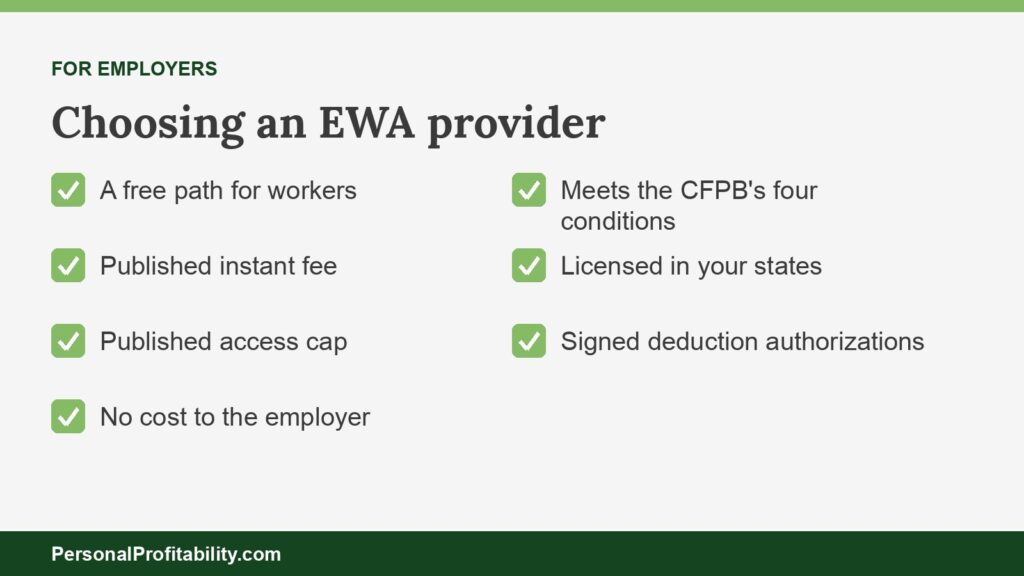
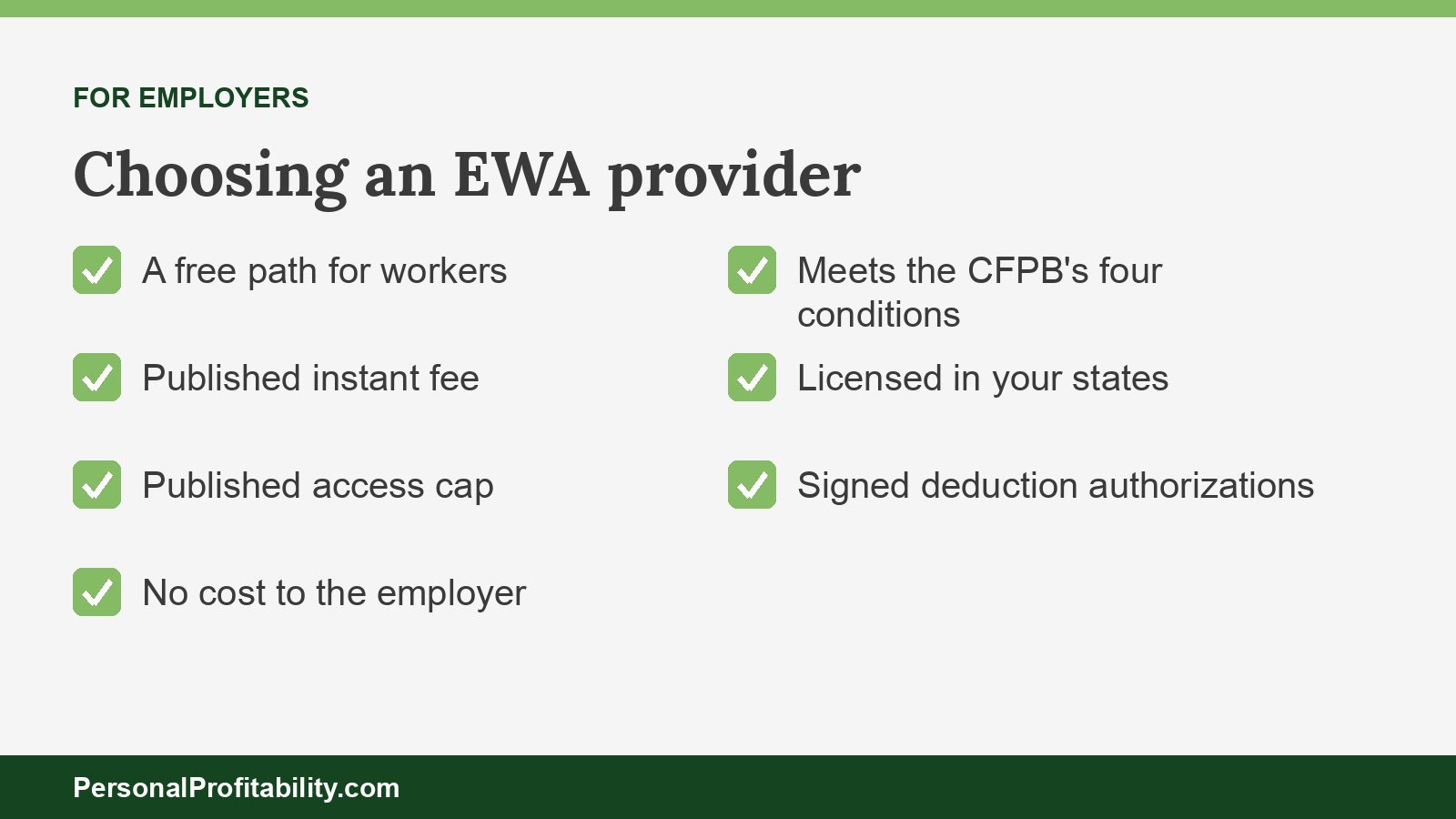
Before you sign, confirm the program meets the CFPB’s four covered-EWA conditions, holds a license in every state where you have workers, follows Connecticut, Maryland, and Wisconsin fee rules, and runs on a signed payroll deduction authorization.
1. The CFPB’s four conditions
The CFPB’s December 23, 2025 advisory opinion says “Covered EWA is not credit” under the Truth in Lending Act. A program qualifies only if it meets all four:
- The provider caps each advance at accrued wages, measured from payroll data, not the worker’s estimate.
- The provider collects repayment through a payroll deduction at the next payroll, not a debit from the worker’s bank account. The CFPB allows one retry for a technical error.
- The provider warrants in writing that it has no claim against the worker if the deduction falls short: no collections, no debt sales, and no credit reporting.
- The provider doesn’t assess the worker’s credit risk.
Under the opinion, optional expedite fees and voluntary tips generally aren’t finance charges, unless the provider makes the free option too hard to pick. Branch Flex and Clair’s workforce partners repay from bank accounts, and Clair underwrites, so ask any provider which of its products fit all four.
2. State licensing or registration
Twelve states had EWA-specific laws or rules as of March 2026, per the Urban Institute. Nevada, Wisconsin, Indiana, and Missouri require a license. Kansas, South Carolina, and Utah require registration. California’s DFPI requires registration under its regulations. Connecticut requires a small loan license, and Maryland subjects certain EWA to its Consumer Loan Law. Arkansas and Louisiana set product rules without a license. Ask each provider for its license list, and see our earned wage access laws by state tracker.
3. Connecticut, Maryland, and Wisconsin fee and tip rules
- Connecticut: Public Act 25-155, effective October 1, 2025, caps finance charges on advances under $750 at $4 per advance and $30 a month. Providers must offer a no-cost option, allow voluntary charges at $0, and block duplicate advances across providers.
- Maryland: Chapter 847 of 2025, effective October 1, 2025, caps delivery or expedite fees at $5.00 for advances of $75 or less and $7.50 above $75 (Commercial Law 12-1505). SB 94, effective October 1, 2026, bans tips, requires a no-cost option when a provider charges fees, and requires overdraft and NSF fee reimbursement within five business days.
- Wisconsin: 2025 Act 199, effective April 5, 2026, caps fees at $5 for advances of $75 or less and $7.50 above $75. Licensed providers must also offer a no-cost option.
4. Payroll deduction authorization
Get each employee’s written authorization before you deduct anything for a provider. Connecticut’s Department of Labor tells employers that a fee on an employer-paid advance counts as a payroll deduction and requires written authorization on a form the Labor Commissioner approves, under CGS 31-71e. New York’s attorney general cites the state’s wage assignment law in its DailyPay suit. Ask employment counsel how your state treats the deduction, and keep the signed forms with your payroll records.
5. No fee sharing
Nevada, Wisconsin, and Connecticut bar providers from sharing fees or tips with employers. If a provider offers you a revenue share, treat that as a red flag in those states and a conflict of interest everywhere else.
Questions to ask a provider
Ask every provider the same 13 questions in writing, so you can line the answers up side by side.
- What exact instant fee will my workers pay, and can I see it in our contract?
- What does the free option cost, how fast does it arrive, and does it require your card?
- What percentage of earned pay can a worker reach, and can I change it?
- Do you charge me anything: setup, per-employee, or minimums?
- Do you ever take tips? Do you ever share fees with employers or payroll partners?
- Does my payroll team prefund advances or change anyone’s direct deposit?
- Do you meet all four of the CFPB’s covered-EWA conditions for this product?
- Which state licenses or registrations do you hold, and where can I see them?
- What happens when a worker’s paycheck comes up short or a worker quits mid-period?
- How do you handle a deduction error, and who fixes it, you or my payroll team?
- How long does implementation take, and what data does my payroll system need to send you?
- What financial wellness tools come with the program, and do any of them cost employees money?
- Which bank holds employee funds on your card or wallet, and what card fees apply?
How we picked
We ranked the best earned wage access providers on published terms only, read on each company’s own pages and regulators’ sites between October 22 and October 24, 2026. Nobody here tested these products as an employer. We weighed six things:
- A free path for workers that reaches a bank account or a widely usable card.
- Fee transparency: a published instant fee beat “a small fee.”
- Employer cost and setup: published pricing, prefunding, and direct deposit changes.
- Compliance fit: the CFPB’s covered-EWA conditions and posted state licenses.
- Payroll reach: named integrations over vague counts.
- Extra features: free financial wellness tools, such as savings and counseling, earned a small bump. We never let them outweigh fees.
Our bias: earned wage access fixes a timing gap between work and payday. It doesn’t fix a budget gap. The best program is the one your employees use rarely and for free.
When none of these fit
If no EWA provider fits, you can still close most of the payday gap. Consider weekly payroll, off-cycle pay for emergencies, or a payroll-linked savings benefit.
- Weekly payroll cuts the wait between paydays in half for a biweekly shop, at zero cost to workers.
- Off-cycle payments let you pay earned wages early by hand in a true emergency. Check your state’s wage rules first.
- Payroll savings splits help workers build a starter emergency fund, which beats every advance on this page.
Workers whose employer offers nothing should read our earned wage access vs payday loan comparison before they borrow anywhere else.
Earned wage access provider FAQ
Conclusion: pick the provider your employees won’t pay for
The best earned wage access providers give your employees a free way to reach pay they’ve already earned, and every company on this list says it charges employers little or nothing. So judge them by the worker’s side of the ledger. Start with the option inside your payroll, insist on a published instant fee and access cap, check the CFPB’s four conditions and your state licenses, and get signed deduction authorizations. Then tell your team which transfer is free, so they never pay $3.49 for money they could have had for $0.

Free guide
Spend less, earn more and grow your wealth
Get my free 2026 Playbook with a checklist for your budget, credit, investing and side income, plus the free 7-day Bootcamp.
- Track your money with the tools that still work in 2026
- The order to invest in, with the 2026 401(k) and IRA limits
- Three ways to earn your first $100 on the side this month
Bonus: The 7-day Personal Profitability Bootcamp, one short lesson in your inbox each day