
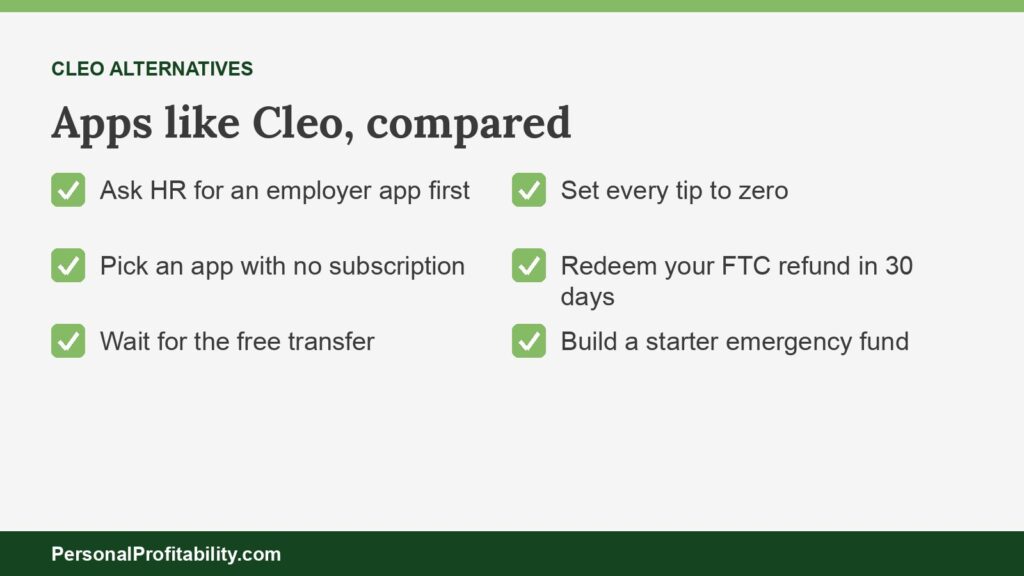
The best apps like Cleo are Albert if you want budgeting and a cash advance in one app, EarnIn if you want an advance with no subscription, and DailyPay if your employer offers it. Cleo now markets an AI chat assistant for your money, and most users still need a $5.99 to $14.99 monthly plan for the easy route to a Cleo cash advance of $20 to $250. Cleo also paid $17 million to settle FTC charges in 2025. If you’re new to paycheck advances, our guide to earned wage access covers the basics.
Personal Profitability may earn a commission from partner links on this page, at no cost to you. Partners don’t decide what we recommend or where it ranks. Fees and terms are each company’s as of 2026-10-24. Confirm them on the company’s site before you sign up.
Cleo at a glance
Cleo is a personal finance chatbot with a cash advance tucked inside, and the advance costs more than most users expect once you add the subscription. These facts come from Cleo’s own help center, homepage, and the FTC.
| Question | Cleo |
|---|---|
| Who it’s for | People who want AI spending insights, savings, and debt management, plus a small advance |
| Needs an employer? | No |
| Free path | Standard delivery in 3–4 days is free, but the easy way to request an advance is a paid plan. Without one, you apply through customer service. |
| Subscription | Plus $5.99 a month or $44.99 a year, Pro $8.99 a month, Builder $14.99 a month (older signups pay $1.99 to $14.99) |
| Express fee | $4.49 to $14.99 for same-day delivery, added to your repayment |
| Max | $20 to $250 for most users, up to $500 with $750 a month in direct deposits |
| How it gets repaid | Cleo debits your connected card or account on a date you pick 3 to 14 days out, and keeps trying if the debit fails |
| Where it’s unavailable | Connecticut and Maine |
| Legal matters | FTC settlement, March 2025, $17 million. FTC refunds of more than $15.8 million go out by PayPal starting Oct. 27, 2026. |
Fees and terms verified 2026-10-24.
Spend less, earn more and grow your wealth
Get my free 2026 Playbook with a checklist for your budget, credit, investing and side income, plus the free 7-day Bootcamp.
What Cleo offers now
Cleo still offers cash advances in its app, but Cleo’s US homepage no longer mentions them. When we checked Cleo’s homepage on October 24, 2026, Cleo pitched five things: an AI assistant that analyzes your spending and “calls out bad habits,” Autopilot for automating money goals, automatic savings that earn interest (a footnote names Thread Bank for Cleo’s banking services), the Cleo Card for building credit, and a debt tracker with a payoff plan. The words “cash advance” didn’t appear anywhere on the page, footnotes included.
The advance hasn’t gone away. Cleo’s App Store listing still reads “Cleo AI: Cash Advance & Budget,” and Cleo’s help center still walks you through a request. You open the Request tab, pick an amount, choose a repayment date 3 to 14 days out, and pick standard delivery in 3 to 4 days for free or same-day delivery for $4.49 to $14.99.
Cleo says it sets your limit by “how likely you are to be able to pay an advance back,” based on your paycheck, spending habits, and budget. Most users qualify for $20 to $250. Cleo’s direct deposit article lays out the bigger tiers: $250 a month in deposits qualifies you for $50 to $200, $500 for $100 to $300, and $750 for $150 to $500. Cleo doesn’t publish whether it checks your credit or reports advances to the bureaus.
The Cleo Card deserves a closer look too. Cleo’s help center calls it “actually a credit card,” issued by WebBank, with a security deposit that sets your limit and a $1 minimum deposit. You can’t use it to repay a Cleo advance.
The Cleo FTC settlement and how refunds work
Cleo paid $17 million in 2025 to settle FTC charges that it misled people about advance amounts, fees, and cancellation, and the FTC is sending refunds now. According to the FTC’s March 27, 2025 announcement, Cleo advertised access to “hundreds of dollars in cash advances,” while “almost no one received anything close to the advertised amounts.” The FTC also said Cleo charged extra for same-day or instant advances that often arrived the next day, and told some people they couldn’t cancel a subscription until they repaid an advance.
The order requires Cleo to disclose subscription terms clearly, get “express, informed consent” before charging a subscription, and give users “a simple way” to cancel.
In October 2026, the FTC announced refunds of more than $15.8 million to 2,124,796 Cleo customers who paid for eligible instant cash advances. Here’s what to do if you’re one of them:
- Watch your email. The FTC said eligible customers would get a notice by October 26, 2026.
- Look for a PayPal payment. The FTC said PayPal payments start October 27, 2026.
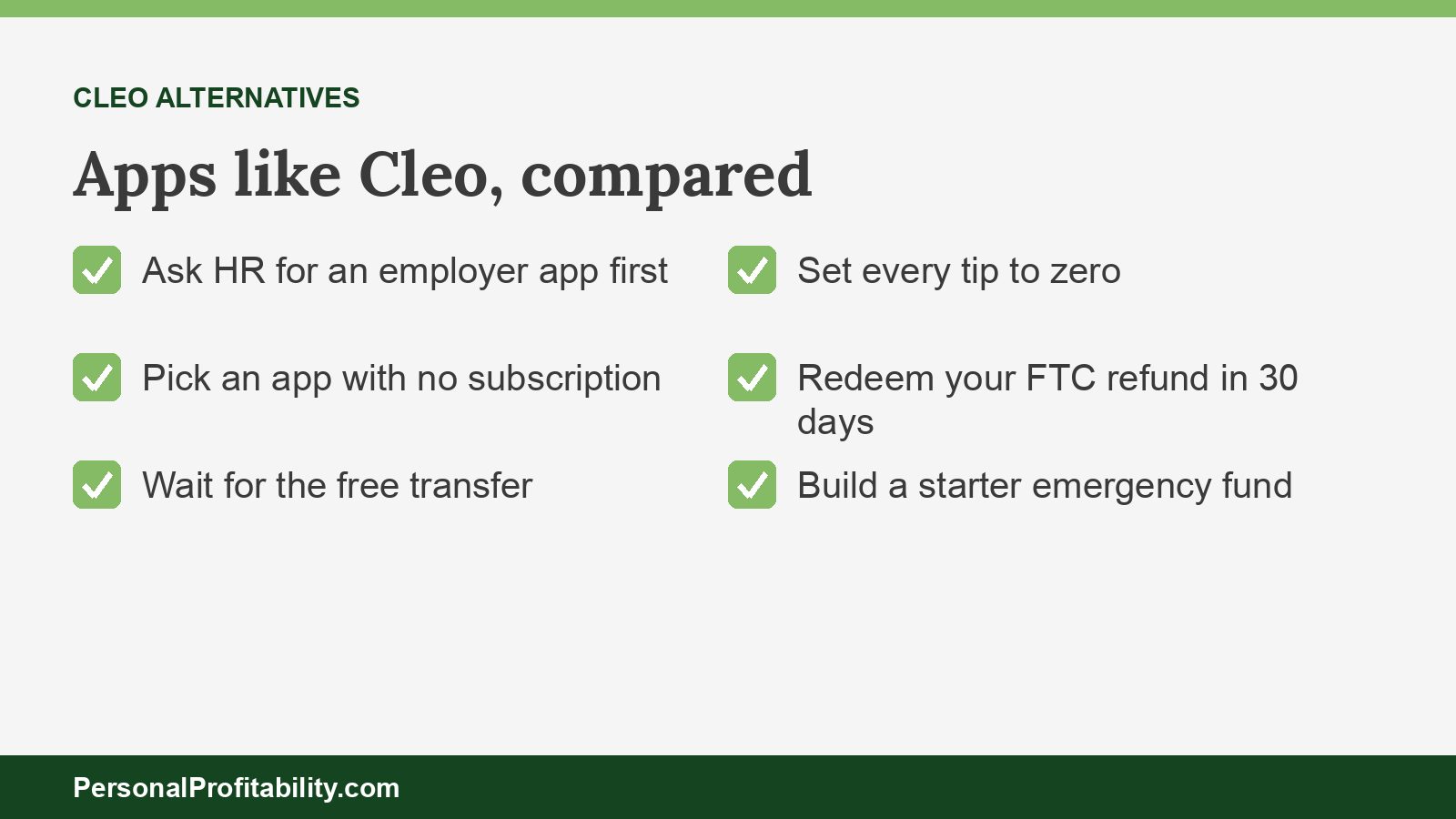
- Redeem it within 30 days, or you lose the payment.
- Call the refund administrator, Rust Consulting, at 877-788-4958 with questions. The FTC never asks for payment or account information to send a refund, so anyone who does is running a scam.
The refunds don’t change what Cleo charges today. If the advance was the reason you used Cleo, you can get cash for less, or with clearer terms, from the apps below.
Apps like Cleo compared
Seven of these Cleo alternatives charge no required subscription, and two of those need your employer. We ranked these cash advance apps for a Cleo user who wants a small advance without a monthly plan, plus a few who want Cleo’s budgeting or credit-building features.
| App | Best for | Subscription | Free path | Cost of speed | Max | The catch |
|---|---|---|---|---|---|---|
| Albert | Budgeting plus an advance | Not required for the advance | Advance lands in Albert Cash, ACH out in 2–3 business days | Greater of $5.99 or 1.75% to move it out fast, cap $25 | $25–$1,000 | Due in 6 days |
| EarnIn | No subscription, keep your bank | None | Standard transfer, 1–2 business days | Lightning Speed from $3.99, tips optional | $200 a day, $1,000 per pay period | Two attorney general suits |
| Chime MyPay | Cheap instant cash | None | Scheduled advance within 24 hours | 3%, $2 minimum, $5 maximum | Up to $750 advertised, limits $20–$1,000 | Needs direct deposit at Chime |
| Gerald | $0 fees if you shop its store | None advertised | Free bank transfer | None advertised | $40–$200 | You must spend part of the advance in Gerald’s store first |
| Klover | No plan and no credit check | Optional, $4.99 a month | Standard transfer, 2–5 business days | Up to $3.99 ($25) to $37.49 ($750) | Up to $750 | You trade data and ad views for points |
| Brigit | Former Cleo Builder users | $8.99 or $15.99 a month | Only by emailing Brigit | Plus: unpublished fee. Premium: free | $25–$500 | FTC order and a Minnesota lawsuit |
| DailyPay | Workers whose employer offers it | None | Next-business-day ACH | $1.99–$3.99 in its terms, $3.49 on its fees page | Up to 100% of available pay, $1,000 a day | Your paycheck routes through DailyPay |
| OnePay @Work | Walmart associates | None | Instant, if your employer turned it on | “Small fee” otherwise, amount not published | “Part of your net earnings” | OnePay doesn’t publish the fee |
Fees and terms verified 2026-10-24.
Cash advance apps like Cleo without the subscription
These five apps like Cleo give you an advance without a required monthly plan, which removes the biggest cost of using Cleo. Each company reads the income deposits in your bank accounts, advances a small amount, and collects on payday. Before you download the app, check that the company works with your bank and your state.
Albert: best for budgeting plus an advance in one app
Albert comes closest to Cleo’s mix of money coaching and cash, and Albert doesn’t require a subscription for its advance. Albert’s homepage covers budgeting, banking, saving, and investing, with tools to create a custom budget, track spending, and monitor bills. Albert’s help center lists Instant Advance from $25 to $1,000, with no late fees or interest, though Albert says “few qualify for $1,000.”
Your advance lands in an Albert Cash account for free. A standard ACH transfer out is free and takes 2 to 3 business days, and a fast transfer costs the greater of $5.99 or 1.75%, capped at $25. You repay 6 days after the advance, with one extension of up to 7 days. Albert says it won’t send a late advance to collections or report it to a credit bureau.
Two catches. Albert sells $19.99 and $39.99 subscriptions next to the free advance, and its Instant flow also offers an “Instant line of credit” from FinWise Bank with draw fees. Choose the advance, and leave both of the others alone unless you want them.
- Pros compared with Cleo: No subscription required, a higher advertised ceiling, and budgeting tools in the same app.
- Cons compared with Cleo: A 6-day repayment window, and a fee of at least $5.99 to move the money out fast.
EarnIn: best for no subscription with your current bank
EarnIn charges no subscription and sends a free standard transfer to the bank you already use. EarnIn’s Cash Out page lists up to $200 a day and $1,000 per pay period, which tops Cleo’s $250 starting range by a wide margin. Standard delivery takes 1 to 2 business days, and Lightning Speed starts at $3.99. New York residents max out at $100 a day, and Maryland residents at $150.
You need a consistent direct deposit schedule and a linked checking account. EarnIn verifies work through a work email, GPS location, or uploaded timesheets, and it accepts Social Security, SSI, SSDI, and VA payments. EarnIn runs no credit check and doesn’t report Cash Out to the bureaus.
EarnIn asks for tips, and the answer should always be $0. Colorado’s attorney general sued EarnIn in August 2026 over its fees and tips, and D.C. sued in 2024. Our EarnIn review covers both cases.
- Pros compared with Cleo: No subscription, a much higher limit, and a free transfer to your own bank.
- Cons compared with Cleo: No budgeting chatbot, tip prompts, and two pending government cases.
Chime MyPay: best for cheap instant cash
Chime charges at most $5 for instant delivery, where Cleo’s same-day fee starts at $4.49 and runs up to $14.99. Chime’s MyPay page says a scheduled advance that arrives within 24 hours costs nothing, and instant delivery costs 3% of the advance, with a $2 minimum. Chime charges no subscription, runs no credit check, and doesn’t report MyPay to the credit bureaus.
Chime advertises “up to $750,” and its footnote allows limits of $20 to $1,000 per pay period. You need $200 or more in qualifying direct deposits into Chime, an activated physical Chime card, and an eligible state.
The catch is commitment. Chime wants your paycheck, and Chime calls MyPay “a line of credit” with “risk-based criteria,” so you’re opening a credit product.
- Pros compared with Cleo: No monthly plan, a free 24-hour option, and an instant fee capped at $5.
- Cons compared with Cleo: You move your direct deposit to Chime, and MyPay is a line of credit.
Gerald: best for $0 fees if you shop its store
Gerald advertises “no interest, no fees, and no late charges” on advances of $40 to $200, the only no-employer app on this page that advertises no cost at all. Gerald’s homepage lists a free bank transfer, no credit checks, and no subscription.
Gerald gets paid another way. Before you can transfer an advance, you must spend part of it in Gerald’s Cornerstore, a buy now, pay later marketplace, and link a debit card. Gerald reassesses your advance after you repay it or after 30 days unused.
That works if the store sells something you’d buy anyway. It doesn’t work if you need every dollar for rent. We didn’t read Gerald’s full terms, so check them for any membership charge before you sign up.
- Pros compared with Cleo: No advertised fees, subscription, or interest, and a free bank transfer.
- Cons compared with Cleo: A $200 ceiling, and you spend part of your advance in Gerald’s store first.
Klover: best for no plan and no credit check
Klover offers advances up to $750 with a free standard transfer, and its paid plan is optional. Klover’s FAQ puts the average advance around $170 and says free standard transfers usually take 2 to 5 business days. Klover runs no credit check, doesn’t report to the bureaus, and says it won’t send unpaid balances to collections.
Klover’s pricing page lists express fees from up to $3.99 on $25 to up to $37.49 on $750, collected when you repay. Klover+ costs $4.99 a month, a dollar less than Cleo Plus, and adds bill tracking and Experian credit monitoring.
You pay with data instead. Klover’s homepage says it offers its tools and advances by “leveraging your most valuable asset,” your data, and you earn points to offset fees by taking surveys and watching ads. Our list of apps like Klover covers that trade.
- Pros compared with Cleo: No required plan, a free standard transfer, and a $750 ceiling.
- Cons compared with Cleo: Express fees climb with the amount, and Klover’s terms let it use your data to support advertising.
If you used Cleo for credit building or budgeting
If you used Cleo for its Builder plan or its budgeting chats, you can replace both for less than $14.99 a month. Brigit is the closest one-app swap, and a secured card plus a free budget covers the rest.
Brigit: best for former Cleo Builder users
Brigit Premium pairs a credit builder with free express advances for $15.99 a month, a dollar more than Cleo Builder. Brigit’s pricing article lists Plus at $8.99 a month, with Instant Cash and an express option whose fee Brigit doesn’t publish, and Premium at $15.99. Advances run $25 to $500, or $25 to $250 in Maine, where Cleo doesn’t offer advances at all. Brigit says its average advance is $72.
Brigit doesn’t look at your credit score for Instant Cash and charges no late fees. Brigit’s Credit Builder is a separate loan that reports to the bureaus.
Brigit’s record looks like Cleo’s. Brigit paid $18 million in refunds under a 2023 FTC order over advance amounts, fees, and cancellation, and Minnesota’s attorney general sued Brigit in June 2026. Our list of apps like Brigit covers its rivals.
- Pros compared with Cleo: Available in Maine, free express delivery on Premium, and a reported credit builder.
- Cons compared with Cleo: A higher monthly price than Cleo Plus or Pro, and an open state lawsuit.
You don’t need a subscription to build credit. A secured credit card works the way the Cleo Card does, with a deposit that sets your limit. Pay the balance in full every month, and the card stays interest-free. Our guide to building credit from scratch walks through the steps. For the budgeting side, a written plan from our beginner’s guide to budgeting costs nothing and won’t roast you.
Employer apps like Cleo that cost less
If your employer offers an earned wage access app, use it before Cleo or any app that debits your bank. Employer apps take repayment out of your paycheck, so a late deposit can’t overdraw your account.
DailyPay: best for workers whose employer offers it
DailyPay lets you reach up to 100% of the available balance in its app, capped at $1,000 a day, with no subscription. DailyPay’s FAQ says standard next-business-day transfers are free and instant transfers to a DailyPay Card with direct deposit cost nothing. DailyPay’s Program Terms list instant fees of $1.99 to $3.99, and its fees page says $3.49. Both say the fee varies by employer.
After your first transfer, your employer sends your whole paycheck to DailyPay, which forwards the rest on payday. New York’s attorney general sued DailyPay in April 2025, and we found no ruling as of October 2026. Our DailyPay review covers the details.
- Pros compared with Cleo: No subscription, a free next-day transfer, and a far higher limit.
- Cons compared with Cleo: Your employer has to offer it, and your whole paycheck routes through DailyPay.
OnePay @Work: best for Walmart associates
OnePay @Work, formerly Even, can cost nothing at all if your employer turns on free instant pay. OnePay’s product page calls it “a free employee benefit” and says every Instapay delivery option is free except instant deposits when your employer hasn’t set up free instant pay. OnePay doesn’t publish that fee or a percent cap, only that you can reach “part of your net earnings.”
Walmart offers associates no-cost OnePay @Work, with exclusions for New York, Puerto Rico, truck drivers, and executives. Skip OnePay Advance, a separate overdraft feature with a 3% fee.
- Pros compared with Cleo: Free instant pay at employers that configure it, and no subscription.
- Cons compared with Cleo: Only through participating employers, and no published fee or cap.
What a Cleo cash advance costs compared with these apps
A Cleo cash advance costs $71.88 to $179.88 a year in subscriptions before you pay a single express fee. Cleo Plus at $5.99 a month is $71.88 a year, Pro at $8.99 is $107.88, and Builder at $14.99 is $179.88. Add Cleo’s lowest $4.49 express fee to each of the 27 advances the average worker takes in a year, per the CFPB’s 2024 Data Spotlight, and Plus users pay about $193 a year.
| Option | Yearly subscription | 27 fast advances a year | Free path? |
|---|---|---|---|
| Cleo Plus with $4.49 express fees | $71.88 | $193.11 | Standard 3–4 days, but the plan still costs |
| Cleo Builder with $4.49 express fees | $179.88 | $301.11 | Standard 3–4 days, but the plan still costs |
| Chime MyPay at the CFPB’s $106 average (3%) | $0 | $85.86 | Yes, within 24 hours |
| EarnIn Lightning Speed from $3.99 | $0 | From $107.73 | Yes, 1–2 business days |
| Gerald | None advertised | $0 in fees | Yes, after a store purchase |
| DailyPay at $3.49 | $0 | $94.23 | Yes, next business day |
The APR math gets ugly fast on small advances. A $50 Cleo advance with a $4.49 express fee, repaid in 14 days, works out to about 234% APR. Add that month’s $5.99 Plus fee, and the cost of the $50 rises to $10.48, about 547% APR. Our breakdown of earned wage access fees shows the same math for other amounts.
Paying $6 a month to borrow $50 tells you the gap is in the budget, not the calendar. An advance can bridge a few days to payday, and it can’t fix a month that runs short every time. A starter emergency fund of a few hundred dollars replaces every app on this page.
Cash advance apps like Cleo we left out
We left out three popular cash advance apps because each one asks a Cleo user to pay a monthly fee or a fee on every advance. Compare their terms with the picks above before you switch.
- Tilt (formerly Empower): Tilt charges $8 a month after a 14-day trial for advances of $10 to $500, and Tilt doesn’t post its instant fee on its site. Tilt doesn’t serve Connecticut or Maine either, so it can’t replace Cleo in either state.
- Dave ExtraCash: Dave charges a membership of up to $5 a month plus 5% of each advance, with a $5 minimum and a $15 maximum, so every advance costs money. The FTC and Justice Department have a case against Dave pending. See our list of apps like Dave.
- MoneyLion Instacash: MoneyLion offers up to $500 with no required plan, but free delivery works only into a MoneyLion Spend account, and instant delivery to an outside bank costs 9%. Our list of apps like MoneyLion covers it.
How to choose among apps like Cleo
Choose among apps like Cleo by deciding which part of Cleo you used, then pick the cheapest app that does that one job. Work through it in this order:
- Check for an employer app. DailyPay, OnePay @Work, and other payroll apps cost less than Cleo and collect from your paycheck.
- If you used Cleo for advances, drop the subscription. EarnIn, Chime MyPay, and Albert don’t require one. Wait for the free transfer whenever you can.
- If you used Cleo for budgeting, separate it from borrowing. Albert bundles both, but a free budget and a savings habit cost nothing.
- If you used Cleo Builder, price the credit builder. A secured card with the balance paid in full costs less than any $14.99 plan.
- Cancel Cleo the right way. Cleo says you type “cancel” in the chat. Under the FTC order, Cleo has to give you a simple way out, so screenshot the confirmation.
If you live in Connecticut or Maine, Cleo already turned off advances and paid plans for you. Chime MyPay, EarnIn, and employer apps are your next stop, but check each one’s state list first. Rules vary, which our earned wage access laws by state tracker follows.
When none of these apps like Cleo fit
When no app fits, ask the people you owe before you borrow from anyone. Ask your employer for a payroll advance, or call the company that sent the bill and ask to move the due date. If an overdraft fee already hit, our guide to getting overdraft fees refunded shows how to ask your bank.
Our guide on how to get money in a hurry lists more options. Skip payday loans: the CFPB says a typical $15 fee per $100 equals almost 400% APR on a two-week loan. Our comparison of earned wage access vs payday loans lays out the gap.
Apps like Cleo: frequently asked questions
Drop the subscription, keep the free path
The best app like Cleo is one that gives you a small advance without charging you every month to stand in line for it. Use an employer app if you have one. Otherwise, take EarnIn’s or Chime’s free transfer, try Albert if you want budgeting in the same place, and set every tip to $0. If the FTC owes you a refund, redeem the PayPal payment within 30 days. For the wider field, see the best earned wage access apps, our guides to apps like MoneyLion and apps like EarnIn, and our apps like Payactiv guide to employer programs.

Free guide
Spend less, earn more and grow your wealth
Get my free 2026 Playbook with a checklist for your budget, credit, investing and side income, plus the free 7-day Bootcamp.
- Track your money with the tools that still work in 2026
- The order to invest in, with the 2026 401(k) and IRA limits
- Three ways to earn your first $100 on the side this month
Bonus: The 7-day Personal Profitability Bootcamp, one short lesson in your inbox each day