
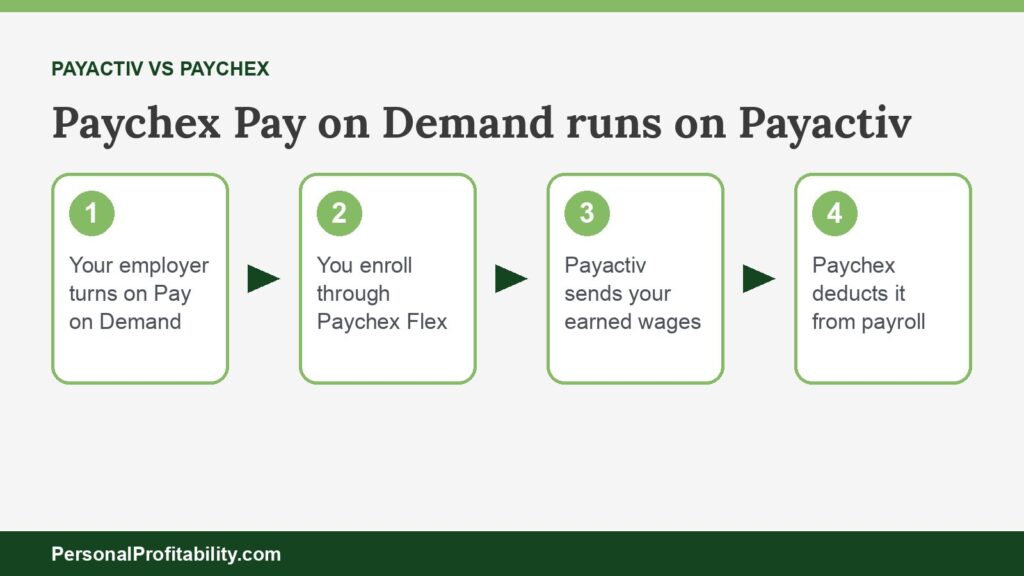
Payactiv vs Paychex isn’t a contest: Paychex’s own terms say Paychex Flex Perks Pay on Demand runs “through its Vendor, Payactiv, Inc.” If your employer runs Paychex payroll, Payactiv is the company behind your early pay. Our guide to earned wage access explains how these programs work.
Eric Rosenberg, who founded Personal Profitability, wrote for Payactiv as a freelancer and later worked there as a marketing manager, until June 2026. Nobody at Payactiv reviewed this page. We held Payactiv to its own published fees and terms, the same standard we used for every other company here.
Personal Profitability may earn a commission from partner links on this page, at no cost to you. Partners don’t decide what we recommend or where it ranks. Fees and terms are each company’s as of 2026-10-31. Confirm them on the company’s site before you apply.
Last checked: October 31, 2026, against each company’s own fee and terms pages.
Is Paychex Pay on Demand the same as Payactiv?
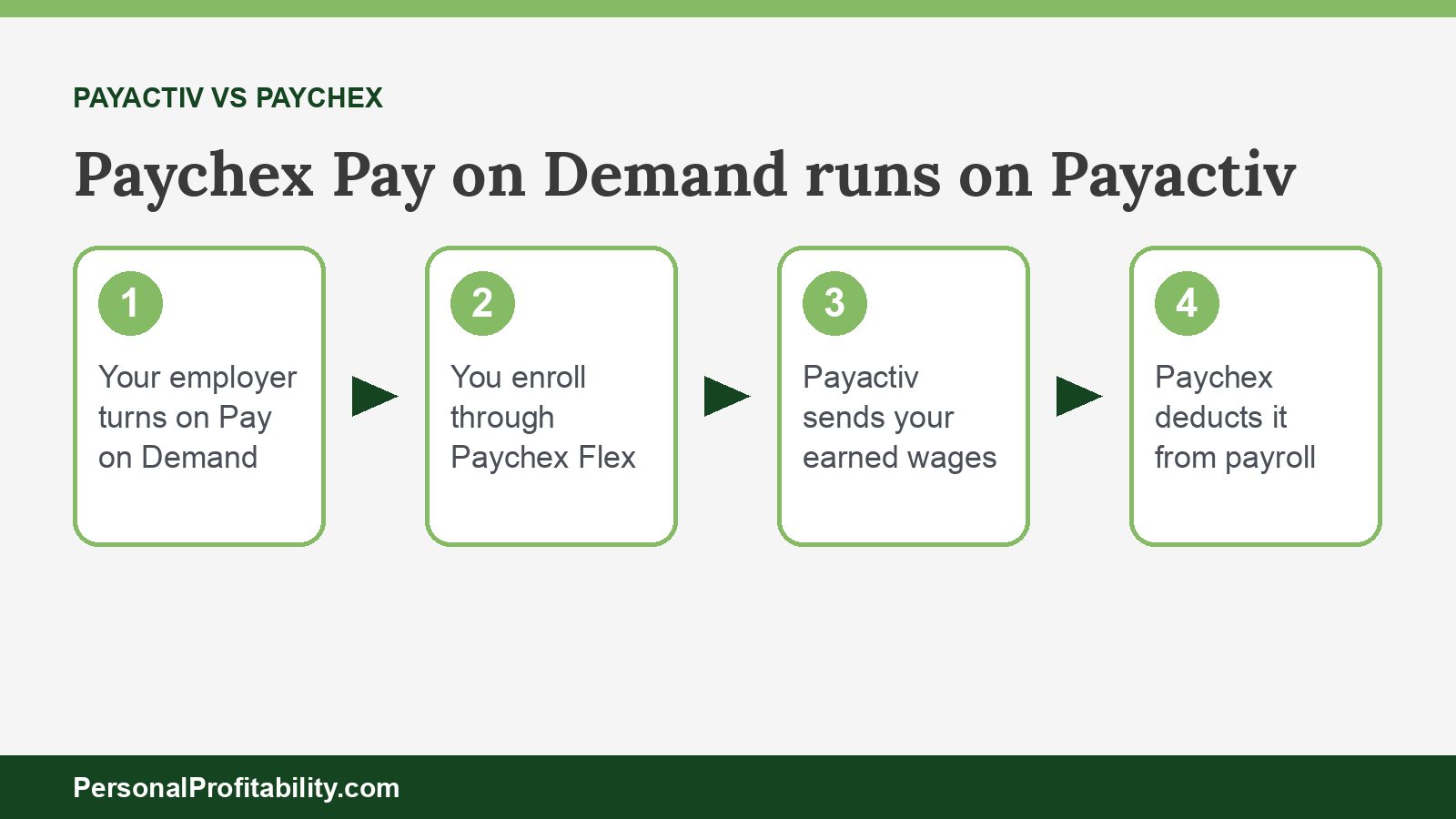
Yes, Paychex Pay on Demand is Payactiv’s earned wage access, sold and set up through Paychex. Paychex says so in three places we checked.
- The Supplemental Terms and Conditions for Paychex Flex Perks (rev. 7/2025) describe Pay on Demand as a program “through its Vendor, Payactiv, Inc.”
- Paychex’s August 19, 2024, release launching Flex Perks lists “Pay on Demand powered by Payactiv.”
- In its April 2026 product release, Paychex labels the Pay on Demand tile as powered by Payactiv.
On its Paychex page, Payactiv agrees: “If your employer offers Paychex payroll processing, then you are eligible for Pay on Demand.” So you don’t choose between Payactiv and Paychex. You get Payactiv through Paychex, or you get Payactiv through another employer program, and you use the Payactiv app either way.
Spend less, earn more, and grow your wealth
Get my free 2026 Playbook with a checklist for your budget, credit, investing, and side income, plus the free 7-day Bootcamp.
Paychex Pay on Demand vs Payactiv at a glance
The engine is the same, but the published details differ by channel. We compared Payactiv’s standard program with the Paychex and Paycor versions, using only each company’s own pages.
| Feature | Paychex Pay on Demand | Paycor OnDemand Pay | Payactiv standard program |
|---|---|---|---|
| Who runs the program | Payactiv, as Paychex’s vendor | Payactiv, “Wallet powered by Payactiv” | Payactiv |
| How you get access | Your employer runs Paychex payroll and turns on Pay on Demand | Your employer runs Paycor and offers OnDemand Pay | Your employer or payroll partner offers Payactiv |
| Sign-up location | Paychex Flex dashboard, then the Payactiv app | Inside the Paycor app | Payactiv app |
| How much | Up to 50% of net earnings (Payactiv’s Paychex page) | Up to 50% of earned pay (Paycor) | Up to 50% and $500 a pay period “in most cases” (Payactiv’s get-started FAQ). Its pricing page says “a portion” |
| Published fees | None on current Paychex or Payactiv Paychex pages | “Little to nothing,” free with $200+ direct deposit to the Paycor Visa Card | $0 ACH, $0 to its card with $200+ deposit, $2.49 to $3.49 instant |
| Employer cost | “No cost to the employer” | “Free for employers” | “At no cost” |
| Card | Payactiv Visa Card | Paycor Visa Prepaid Card | Payactiv Visa Card |
| Card fee schedule | payactiv.com/card411 | payactiv.com/card411 | payactiv.com/card411 |
Terms verified 2026-10-31 on Paychex’s Flex Perks terms and releases, Paycor’s Wallet page, Payactiv’s Paychex page, Payactiv’s Paycor page, and Payactiv’s pricing page.
How you get Pay on Demand through Paychex
You get Pay on Demand only when your employer runs Paychex payroll and adds the service. Paychex’s terms call the employer the “Client,” and the Client authorizes the payroll deductions that repay Payactiv.
Payactiv lays out two ways to enroll on its Paychex sign-up page:
- Log in to your Paychex Flex dashboard, check the balance you can reach, and choose to access your earned wages.
- Review the Pay on Demand details, accept the terms, and select Approve and Launch.
- Create your Payactiv account. Or start in the Payactiv app, pick Paychex as your employer, approve the terms in Paychex Flex, and return to Payactiv.
Paychex’s terms say workers “are able to view available On Demand Wages in Paychex Flex” before they enroll. After you sign up, your balance grows “after every day you work,” according to Payactiv’s Paychex page. In April 2026, Paychex opened Pay on Demand to clients that use third-party time and attendance systems. Your employer doesn’t need Paychex timekeeping. For support, Payactiv lists 833-299-0168 for Paychex account issues and 1-844-952-4398 for Pay on Demand help. Paychex pitches Pay on Demand as a way to help employees avoid “late fees, overdraft charges, and expensive payday loans.” That pitch holds only when you pay $0, or close to $0, for each transfer.
What Paychex’s terms add
Paychex’s Flex Perks terms add three rules you won’t find on Payactiv’s main pages. Repayment can stretch past one paycheck, Paychex shares your payroll data with Payactiv, and Payactiv controls the end date. Paychex writes these terms for employers, but each one affects workers.
Repayment can run into later paychecks
When a worker takes On Demand Wages, the employer authorizes Paychex to process payroll deductions. Paychex’s terms cover “that pay period, and subsequent pay periods, if necessary.” Paychex’s launch release says, “Earned wages are deducted from an employee’s next paycheck.” If one paycheck doesn’t cover what you took, plan for the deduction to show up on the next one too. Our guide to the earned wage access deduction shows how to read that line.
Paychex sends your data to Payactiv
Paychex’s terms let Paychex transmit worker data to Payactiv when the service starts. That data includes employee and worker IDs, wage information, employment dates, work and resident states, and time tracking data from Paychex timekeeping. Payactiv uses it to calculate your balance. If you don’t want that data shared, ask HR before you enroll.
Payactiv decides when the service ends
When your employer turns off Pay on Demand, Paychex tells Payactiv. Paychex then stops new requests. Paychex’s terms say Payactiv alone sets the termination date, which “may not occur until after Workers have settled outstanding On Demand Wage repayments.” Payactiv can also suspend access “in accordance with Vendor’s terms and conditions.” If you change jobs, settle your balance first.
Pay on Demand isn’t the Flex Perks loan
The same Flex Perks terms describe a separate Financial Wellness Service through FinFit. FinFit offers “installment loans and lines of credit” repaid from your wages. That’s credit, with its own loan agreement and bank. Pay on Demand gives you wages you already earned. Don’t mix up the two tiles in Paychex Flex. Our guide on whether earned wage access is a loan explains the line the CFPB drew in December 2025.
What Pay on Demand costs through Paychex
Neither Paychex nor Payactiv publishes a current fee table for the Paychex program. Check the fee screen in the Payactiv app before you send money. Payactiv’s Paychex page lists no fee amounts and points to card411 for card fees.
Payactiv’s main pricing page says its table “applies to our Payactiv program and our affiliated programs: UKG Wallet and OnShift Wallet.” The page doesn’t name Paychex, and Payactiv adds that “fees and available transfer options may vary by program.” Payactiv’s standard table charges:
| Transfer | Speed | Payactiv standard fee |
|---|---|---|
| ACH to your bank | 1–3 business days | $0 |
| Payactiv Visa Card, with $200+ direct deposit per pay period | Instant | $0 |
| Payactiv Visa Card, without that deposit | Instant | $2.49 load fee |
| Cash App (Early Adopter Program only) | Instant | $3.24 |
| Other debit or payroll card, Venmo, PayPal, Walmart Cash Pickup | Instant | $3.49 |
| Amazon, Uber, bill pay | Varies | $0 |
Paychex’s own documents point the same way, though some are older. A Paychex bankers bulletin dated April 2024 says employees can access wages “at no cost” with a Payactiv card set up for direct deposit. The bulletin also lists $0 for Amazon, Uber, bill pay, and “next day ACH.” The same bulletin lists access “up to $500 each pay period or $1,000 when they direct deposit to a Payactiv card.” Payactiv’s Paychex page today says “up to 50% of your net earnings.” In its on-demand pay explainer, Paychex says only the employees who use the service pay fees, “on a per use basis.”
What a $3.49 fee costs
If your Paychex program matches Payactiv’s standard $3.49 instant fee, a $100 transfer you repay in seven days works out to about 182% APR. Divide the fee by the amount, multiply by 365, and divide by the days until payday. The CFPB’s July 2024 Data Spotlight found that the average worker made about 27 transfers a year. At $3.49 each, that adds up to $94.23 a year. The free ACH path costs $0. You’ll find more examples on our Payactiv fees page.
Paycor Wallet: Payactiv inside Paychex’s other payroll brand
Paycor workers get Payactiv too, through Paycor Wallet and OnDemand Pay. Paychex completed its acquisition of Paycor on April 14, 2025, and Paycor kept its own payroll platform and app.
Paycor says “OnDemand Pay is free for employers” and “employees pay little to nothing.” Employers can give workers “up to 50% of money they’ve earned prior to payday.” For no-cost access, Paycor requires at least one $200 direct deposit to the Paycor Visa Card each pay period. Central Bank of Kansas City, Member FDIC, issues the Paycor Visa Prepaid Card, and Paycor points to payactiv.com/card411 for the fee schedule. Paycor lists “no activation, monthly, or annual fees” for the card.
On its Paycor page, Payactiv says you open “Wallet powered by Payactiv” inside the Paycor app, with no separate download. Payactiv describes the balance as “a portion of your net earnings” and adds “fees may apply” without a table. On August 24, 2026, Paychex launched Paycor Perks, which lists “OnDemand Pay, Powered by Payactiv” at “no cost to the employer.” Paychex says more than 400,000 employees have bought at least one Paychex Perks benefit since 2024.
Paychex HR PEO and Tapcheck
Workers at Paychex HR PEO companies may see Tapcheck instead of Payactiv. In an April 2026 release, Tapcheck announced embedded on-demand pay for “eligible employees paid through the Paychex HR PEO.” Tapcheck says those workers can move earned wages to a bank account or a free Tapcheck Mastercard. Employers pay nothing. We didn’t find that announcement on paychex.com, and Tapcheck doesn’t publish its transfer fee. Our Payactiv vs Tapcheck page compares the two.
What to check before you use Pay on Demand
Check the fee, the free path, and the repayment rules in your own app. Paychex programs can differ from Payactiv’s standard terms. Use this list before your first transfer:
- Confirm the provider. Paychex Flex clients see Payactiv. Paychex HR PEO workers may see Tapcheck. Paycor workers see Wallet powered by Payactiv.
- Find the fee screen in the Payactiv app before you confirm any instant transfer.
- Look for the $0 options: ACH, bill pay, and the Payactiv or Paycor card with $200 of direct deposit.
- Read the card fees on card411. Payactiv charges $2.95 to move card money out through digital wallets or linked cards.
- Check your next pay stub for the deduction, and expect a second deduction if one check falls short.
- Pick the Pay on Demand tile, not the FinFit loan tile.
- Settle your balance before you leave the job.
Then decide if you need early pay at all. A transfer every pay period points to a budget gap, not a timing gap. A starter emergency fund costs $0 to tap and beats every option on this page.
Payactiv vs Paychex FAQ
Payactiv vs Paychex: the bottom line
If your employer runs Paychex Flex, Payactiv powers your Pay on Demand, and Paycor’s OnDemand Pay runs on Payactiv too. What changes is the fine print. Paychex publishes no fee table for its program. Its terms let deductions run into later paychecks, and Paychex shares your payroll data with Payactiv. Use the $0 ACH transfer or the card path, check the fee screen every time, and skip the loan tile.
For the full verdict, read our Payactiv review and how Payactiv works. For other matchups, see Payactiv vs DailyPay, Payactiv vs EarnIn, Payactiv vs ZayZoon, and Payactiv vs Wisely.

Free guide
Spend less, earn more, and grow your wealth
Get my free 2026 Playbook with a checklist for your budget, credit, investing, and side income, plus the free 7-day Bootcamp.
- Track your money with the tools that still work in 2026.
- The order to invest in, with the 2026 401(k) and IRA limits.
- Three ways to earn your first $100 on the side this month.
Bonus: The 7-day Personal Profitability Bootcamp, one short lesson in your inbox each day