


To automate your finances, split your paycheck with direct deposit, schedule transfers to savings and investments for the day after payday, and put every bill on autopay. Then link all your accounts to one free dashboard and check it once a week. You can set up the whole system in one afternoon at the kitchen table, and after that your money moves on schedule while you get on with your life.
Personal Profitability may earn a commission from partner links on this page, at no cost to you. Partners don’t decide what we recommend or where it ranks.
I’ve automated my investments, savings, credit card payments, car loan, student loans, and mortgage. Below are the five steps I used, in the order I’d do them again.
What does it mean to automate your finances?
When you automate your finances, you set up recurring transfers and payments once, and your bank handles them on schedule. Your paycheck lands, your savings and investments move first, and your bank pays your bills before their due dates. You still make every decision. But you make each one once, not every month.
Many people automate their direct deposit and stop at the paycheck. But you can also automate transfers between your own accounts, payments to other banks and lenders, and contributions to your 401(k) and IRA.
Build a budget you'll keep this month
Get my free 2026 guide to picking categories, setting limits, automating your savings, and choosing a budgeting tool.
Step 1: Draw your money map
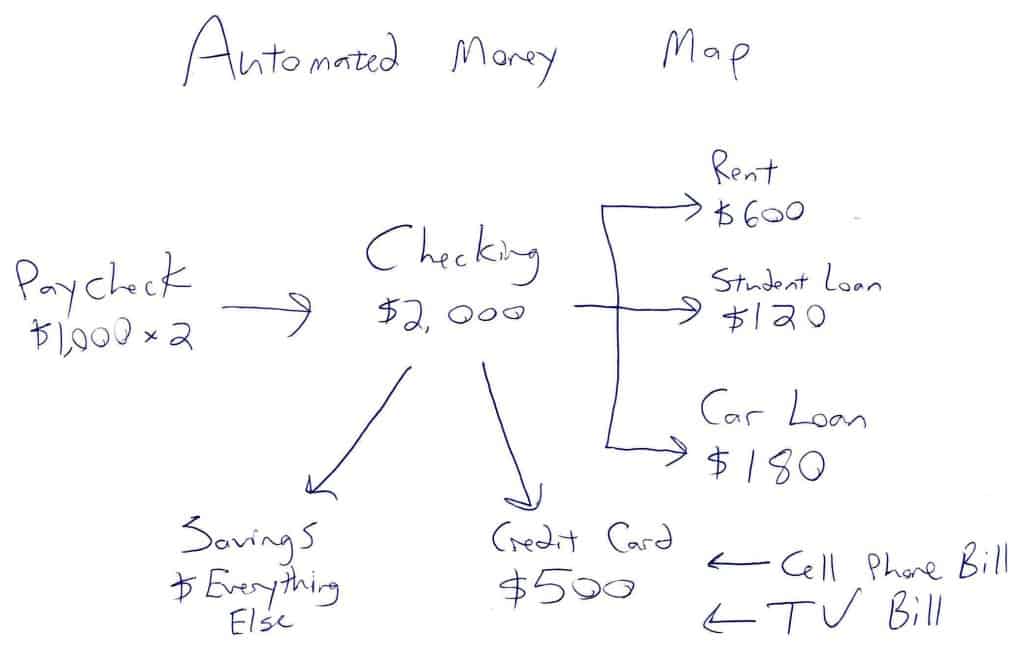
Grab a pen. Start with a simple map of where each paycheck goes. Paper works fine. Put your direct deposit at the top, then trace each dollar down to savings, investments, and bills, with the date each transfer should happen.
My example below uses made-up numbers, so swap in your own.
Before you draw the map, take a full account inventory so you don’t miss a bill or an old account.
Step 2: Split your paycheck with direct deposit
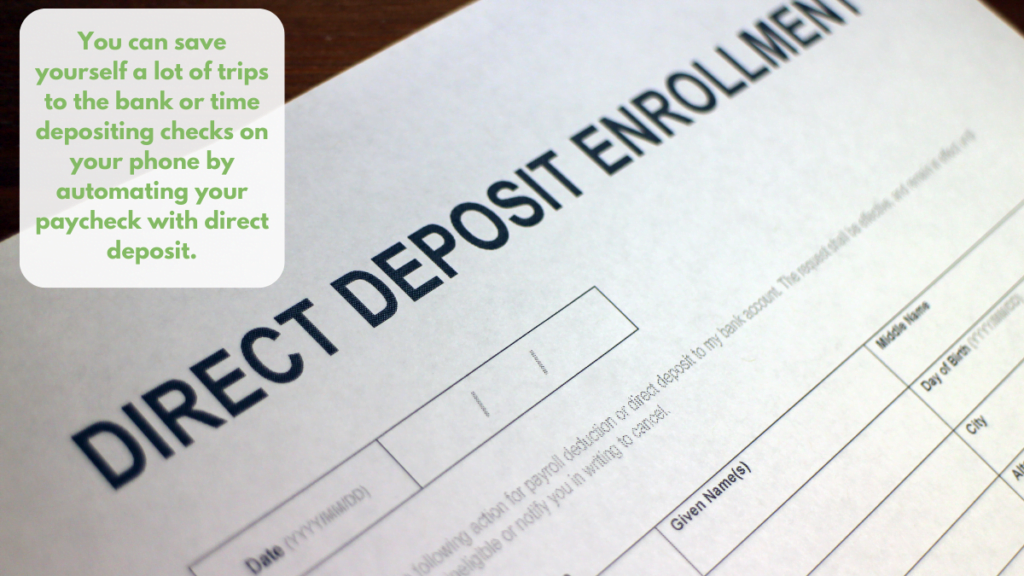
Most employers offer direct deposit, and many let you split your pay between accounts. For example, you might send 80% to checking and 20% to a high-yield savings account. If your employer only deposits to one account, set up a recurring transfer from checking to savings for the day after payday.
Fees for transfers? Switch banks. Our guide to choosing a checking account covers what to look for, and our emergency fund guide explains how much to keep in savings.
Step 3: Automate your savings and investing
Pay yourself first. Your savings and investments should move before you can spend the money, because you’ll likely spend whatever sits in checking. Here’s the order I recommend:
- Your 401(k). Set your contribution through payroll, at least enough to get the full employer match. For 2026, the IRS limit is $24,500.
- Your emergency fund. Schedule a transfer to high-yield savings every payday until you reach your goal.
- Your IRA. Most brokers let you schedule automatic contributions and automatic purchases of a fund. The 2026 IRA limit is $7,500, which works out to $625 a month.
- Other goals. Add recurring transfers for a car, a vacation, or a house down payment.
Set each transfer for the day after your paycheck lands, so the money is there when the transfer runs. Then raise each amount a little every time you get a raise. Small bumps compound.
One catch. In an IRA, an automatic deposit isn’t the same as an automatic investment. If you only schedule the transfer, your contribution can sit in cash for months while the market moves without you. So turn on automatic purchases of your chosen fund too, and confirm the first purchase on your next statement.
Step 4: Put your bills on autopay
Autopay, also called direct debit, lets each biller pull the payment from your account on the due date. I pay my mortgage, credit card, power, phone, internet, and student loans this way. You can set it up three ways:
- Enter your bank details in the biller’s own payment portal and turn on autopay.
- Schedule recurring payments through your bank’s bill pay, where your bank sends the money.
- Charge the bill to a credit card that you pay in full on autopay.
You can save money with autopay, too. Both of my student loan servicers cut my interest rate by 0.25% while I used autopay. So ask each lender whether it offers an autopay discount before you pick a method.
Credit card bills
Set your credit card autopay to the full statement balance, not the minimum. That way you never pay interest or a late fee. Ever. I go a step further and pay my cards from bank bill pay on each payday, and my bank emails me a reminder if a bill is still open before the due date. Read why I pay my credit card twice a month for the full method.
Utilities and subscriptions
Easy one. Most utilities accept autopay from a bank account or a card, and I put mine on a credit card, because I earn points on the bill and still pay the card in full. My utilities email me before each charge, so I can catch a bill that looks wrong.
One-off bills
A doctor’s bill or a car repair doesn’t repeat, so you can’t automate the payment, and some of those billers still want a paper check mailed to an address on the invoice. Instead, I add a Google Calendar reminder a week before the due date. If the biller takes checks, I schedule the payment in my bank’s bill pay right away.

Step 5: Automate your account tracking
Once your money moves on its own, you need one place to watch every account. I use three free tools, and none of them costs a dime.
Empower Personal Dashboard
The free Empower Personal Dashboard (formerly Personal Capital) is my money hub. You link your bank, credit card, loan, and investment accounts once. After that, you can see your balances, recent transactions, spending, and net worth in one place, on the web or in Empower’s iPhone and Android apps.
When I first linked my accounts, I ran Empower’s Fee Analyzer on my retirement funds. Then I moved into lower-cost index funds and cut my mutual fund fees by more than $300 a year.
AwardWallet
If you travel, treat your frequent flyer miles like cash. I use AwardWallet to track frequent flyer miles and hotel points, along with their expiration dates, in one place.
TripIt
TripIt pulls my flight and hotel confirmations from Gmail and builds one itinerary for each trip. As a result, I never dig through my inbox at the airport.
What can go wrong when you automate your finances?
Overdrafts come first. If a large bill hits before your paycheck clears, autopay can drain your checking account. So keep a cushion of at least one month of bills in checking, and time your transfers for the day after payday.
Autopilot spending comes second. A forgotten subscription renews every month without a second look. To stop that, spend 10 minutes once a week on your dashboard. Scan new transactions, check your balances, and cancel anything you don’t use. Ten minutes, tops.
Frequently asked questions about how to automate your finances
Start with one transfer this week
You don’t have to automate your finances all at once. Pick one step this week, like a $50 transfer to savings the day after payday, and add another step next month. Once you link every account to the free Empower dashboard, you’ll spend minutes a week on money instead of hours.
Free guide
Build a budget you'll keep this month
Get my free 2026 guide to picking categories, setting limits, automating your savings, and choosing a budgeting tool.
- Set category limits from what you spend now.
- Try envelope, zero-based, and one-line budgets.
- Compare free and paid budgeting tools for 2026.
Bonus: The 30-Day Money Reset, a one-task-a-day plan to put your budget to work