
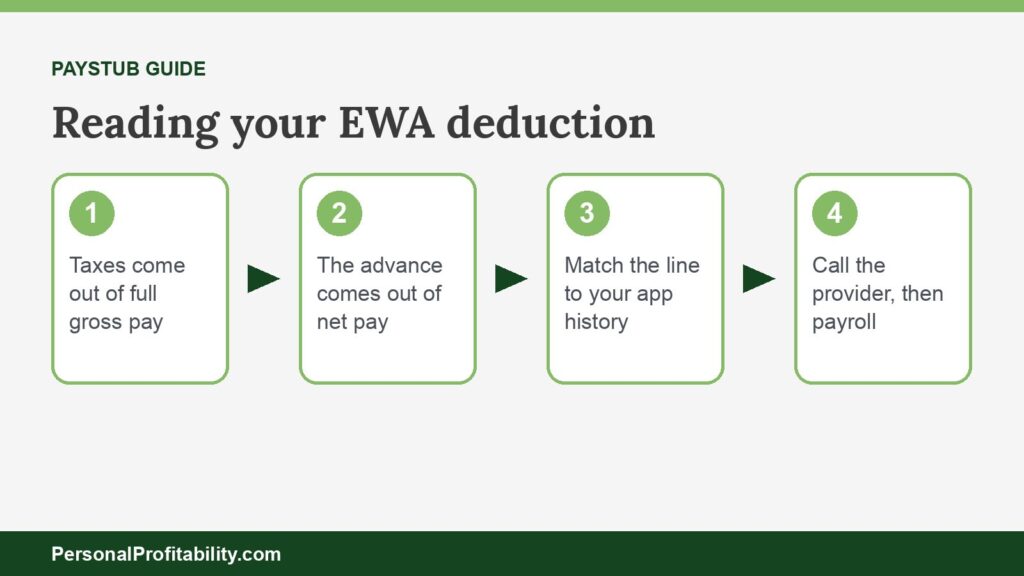
An earned wage access deduction is the paystub line where your employer takes back, from your net pay, the wages you already received early through an EWA app. New to the idea? Start with our earned wage access guide.
Eric Rosenberg, who founded Personal Profitability, wrote for Payactiv as a freelancer and later worked there as a marketing manager, until June 2026. Nobody at Payactiv reviewed this page. We held Payactiv to its own published fees and terms, the same standard we used for every other company here.
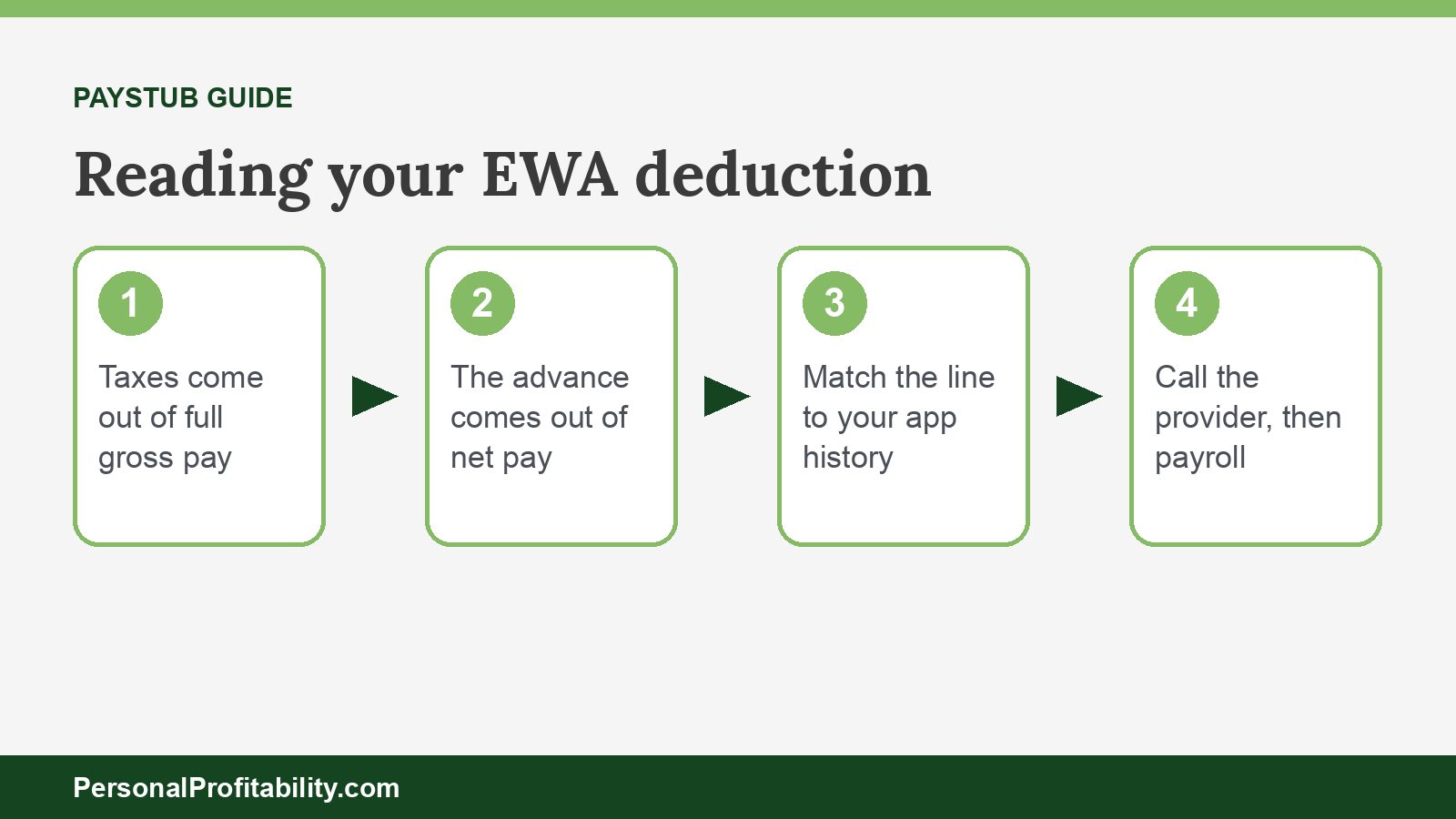
Facts verified 2026-10-24. That line isn’t a new charge. You earned the money, the app paid part of it to you before payday, and your employer settles up with the provider on payday. Here’s how to read the line, check it, stop it, and fix it if the number looks wrong.
Why an earned wage access deduction shows up on your paystub
The deduction appears because your employer repays the EWA provider out of your next paycheck for the money you pulled early.
When your employer offers EWA as a benefit, employees can request part of their earned wages before payday, based on the hours or shifts they’ve already worked. The provider fronts that cash, then collects repayment through payroll. Tapcheck says “any money you request is automatically deducted from your next paycheck” and shows up as a pay stub line item. Rain sends its adjustments into payroll. Your employer runs payroll as normal and then reimburses Rain. Payactiv says money you access “is automatically deducted from your next paycheck.” Paychex’s terms for its Payactiv-powered Pay on Demand have the employer authorize those payroll deductions.
Your employer’s payroll system sets the label, so the line might carry the provider’s name or a general description. If you don’t recognize it, ask your payroll team which provider it belongs to.
Some providers skip the deduction line
- DailyPay reroutes your direct deposit instead. After your first transfer, your employer sends your full net pay to a DailyPay account number. DailyPay keeps what you took plus any instant fees and sends you the rest, per its Program Terms. Your paystub may show full net pay with no deduction, while your bank shows a smaller deposit from DailyPay. Our DailyPay review covers this setup.
- Gusto’s On-Demand Pay with Clair repays through a direct deposit split to an account at nbkc bank, per Gusto.
- Direct-to-consumer apps such as EarnIn never touch payroll. EarnIn debits your linked bank account on payday, so nothing appears on your paystub.
Spend less, earn more and grow your wealth
Get my free 2026 Playbook with a checklist for your budget, credit, investing and side income, plus the free 7-day Bootcamp.
Is an earned wage access deduction pre-tax or post-tax?
An earned wage access deduction comes out after taxes. Your employer withholds taxes on your full wages for the pay period as usual, then subtracts the advance from what’s left.
Providers set their limits on after-tax pay. Tapcheck lets you reach up to 70% of “net earnings (minus taxes and deductions).” Paycom’s Everyday withholds taxes and deductions first, plus a 10% buffer. That only works if the repayment comes out of net pay.
The IRS has published no guidance specific to earned wage access. The closest official source is Treasury’s FY2023 Green Book, which says workers with on-demand pay “may be in constant constructive receipt of their wages.” Treasury also says few if any employers withhold daily, and that in practice they treat wages as paid on the regular payday. Treasury proposed clarifying the rules, and Congress never enacted the proposal.
So the advance isn’t extra income and it isn’t a loan you deduct. You’d owe tax on those wages whether you took them early or not. No IRS guidance addresses EWA fees either, so don’t plan on deducting them. Ask a tax professional about your own return.
How to read the deduction: a worked paystub example
Read the paystub top to bottom: gross pay, then pre-tax deductions and taxes, then net pay, then the EWA line that reduces your deposit.
Say you earn $1,600 every two weeks and put 3% into a 401(k). During the pay period you took two advances. The first was $100 by instant transfer, with a $3.49 fee the provider took out of the transfer. The second was $50 by free next-day transfer. The tax lines below use the IRS’s 6.2% Social Security and 1.45% Medicare rates from Topic 751. The income tax figures are illustrative, since yours depend on your W-4 and your state.
| Paystub line | Amount | What it means |
|---|---|---|
| Gross pay | $1,600.00 | Everything you earned this period |
| 401(k), pre-tax | −$48.00 | 3% of gross, taken before income tax |
| Federal income tax | −$110.00 | Illustrative, set by your W-4 |
| Social Security (6.2%) | −$99.20 | Withheld on full gross pay |
| Medicare (1.45%) | −$23.20 | Withheld on full gross pay |
| State income tax | −$45.00 | Illustrative, varies by state |
| Net pay before EWA | $1,274.60 | Your take-home pay without EWA |
| Earned wage access deduction | −$150.00 | The $100 and $50 you requested |
| Direct deposit on payday | $1,124.60 | What lands in your bank account |
Your taxes didn’t change. Your total pay for the period still came to $1,271.11: $96.51 from the instant transfer, $50.00 from the free one, and $1,124.60 on payday. The $3.49 difference from $1,274.60 is the instant fee.
That detail trips people up. DailyPay nets its fee from the transfer, and QuickBooks says its instant fee comes out of the advance. So the deduction can equal what you requested, even though you received less. Other providers may list the fee on its own line. Your app’s history tells you which method yours uses. For every provider’s fee, see our earned wage access fees breakdown.
What happens if your paycheck comes up short?
If your paycheck can’t cover the advance, most employer-linked providers absorb the shortfall and can’t come after you for it.
- DailyPay calls its program “non-recourse.” If your employer doesn’t pay DailyPay, “you will owe us nothing,” and DailyPay won’t send you to collections or report you to a credit bureau. DailyPay can settle a technical or administrative error of $20.00 or less against your next paycheck.
- Rain says in its EWA Agreement that you’re generally “not responsible for making a payment to Rain.” Rain also says it “guarantees positive take-home pay on payday.”
- ZayZoon issues payouts “on a nonrecourse basis” and won’t pursue you personally except for fraud or intentional misrepresentation.
- Payactiv doesn’t say what happens when pay falls short on the pages we read.
Federal rules back this up for covered products. The CFPB’s December 2025 advisory opinion treats EWA as something other than credit only when the provider has no claim against you if the payroll deduction falls short. That means no debt collection, no debt sales, and no credit reporting. Our page on whether earned wage access is a loan explains the four conditions.
Non-recourse doesn’t mean free money. A provider can cut off your access until payroll repays the advance. And if you leave your job, your final paycheck usually settles what you owe. DailyPay says switching your direct deposit back after you cancel can take one to two pay periods if you have unpaid advances.
How to check the deduction against your app’s history
Add up every advance in the app for the pay period, then compare that total with the deduction line on your paystub.
- Find the pay period dates on your paystub. Your employer’s cutoff decides which advances land in this paycheck and which roll to the next one.
- Open the app’s transaction history and list every transfer inside those dates, with the amount requested and the amount received.
- Note each fee. Check whether the provider took it out of the transfer or added it to the deduction. If you sent funds to the provider’s card, check the card’s history too.
- Compare the total with the deduction line. With DailyPay, compare your full net pay with the remainder DailyPay sent to your bank instead.
- Screenshot both before you contact anyone, so you have the numbers in front of you.
Small mismatches usually trace back to timing. An advance you took the day payroll closed may show up a paycheck later. A shift your manager hadn’t approved yet can also change what the app showed you as earned wages.
How to stop the earned wage access deduction
You stop the deduction by stopping the advances, because the line only covers money you already took.
- Stop requesting transfers. Once your last advance clears a payday, the next paystub shows no EWA line.
- Cancel in the app if you want out entirely. DailyPay lets you cancel anytime in its app or at [email protected] “without incurring a penalty.” Wisconsin, Connecticut, and Maryland require providers to let you cancel for free.
- Ask payroll to confirm the change. If your provider rerouted your direct deposit, make sure payroll sends your pay back to your own bank account.
You can’t stop repaying an advance you already took by changing your direct deposit. DailyPay’s terms, for one, bar redirecting payments in a way that hurts its ability to collect. If you keep needing the advance every pay period, the fix is a budget or a buffer, not the app. Our beginner’s guide to budgeting and our emergency fund guide are good places to start.
What to do if the deduction is wrong
Go to the EWA provider’s support team first, then your employer’s payroll team, and then your state regulator or the CFPB if neither fixes it.
- The provider’s support team. The provider knows what you took and what it sent to payroll. Send your screenshots and ask for a corrected amount and a refund timeline.
- Your employer’s payroll team. Payroll entered the deduction and can correct it or refund it on the next check. Ask which advances payroll counted and when the cutoff was.
- Your state regulator. Several states license EWA providers, including California’s DFPI, Nevada’s Financial Institutions Division, Wisconsin’s DFI, and Maryland’s Office of Financial Regulation. Our earned wage access laws by state tracker lists who regulates what. If the problem is the deduction itself, your state labor department handles wage deduction rules. Connecticut’s Department of Labor, for one, requires written authorization on an approved form for employer-paid advance fees.
- The CFPB. File at the CFPB complaint portal. The CFPB forwards complaints to the company and tracks the response.
EWA deduction vs wage garnishment
An earned wage access deduction is a voluntary repayment you agreed to, while a garnishment is a deduction a court or government agency orders your employer to take.
| EWA deduction | Wage garnishment | |
|---|---|---|
| Who starts it | You, by taking an advance | A court order, or an agency for taxes, child support, or federal student loans |
| What it repays | Wages you already received early | A debt you owe someone else |
| How much | What you took, sometimes plus fees | Usually up to 25% of disposable earnings |
| Can you stop it? | Yes, by not taking more advances | Only by resolving the debt or the order |
| Credit impact | None for covered EWA | Depends on the underlying debt |
Federal law caps ordinary garnishments at the lesser of 25% of disposable earnings or the amount above 30 times the federal minimum wage. The Labor Department’s Fact Sheet 30 spells out the rules. Child support can take up to 50% or 60%, and federal student loans up to 15%. Covered EWA providers can’t sue you or sell your advance to a debt collector, so an EWA advance shouldn’t lead to a garnishment. Read our guide on how to avoid wage garnishment if you’re facing one.
Earned wage access deduction FAQ
Conclusion: the line is your own pay coming back
An earned wage access deduction is your employer repaying the provider, out of after-tax pay, for wages you already spent. Check it against your app’s history every pay period, and watch for fees netted from your transfers. If the math doesn’t match, go to the provider, then payroll, then your regulator. If that line shows up every single paycheck, treat it as a sign to build a small cushion, so next payday arrives in full. Employers comparing programs can see our best earned wage access providers roundup.

Free guide
Spend less, earn more and grow your wealth
Get my free 2026 Playbook with a checklist for your budget, credit, investing and side income, plus the free 7-day Bootcamp.
- Track your money with the tools that still work in 2026
- The order to invest in, with the 2026 401(k) and IRA limits
- Three ways to earn your first $100 on the side this month
Bonus: The 7-day Personal Profitability Bootcamp, one short lesson in your inbox each day