
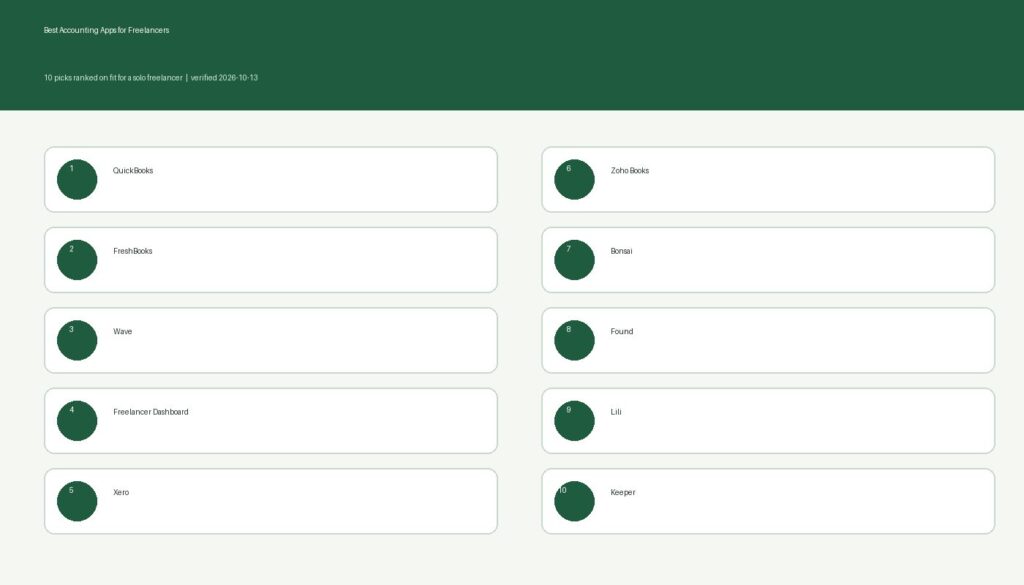
Of the best accounting apps for freelancers, QuickBooks fits the most people, because you get invoices, income and expense tracking, and mileage on its free and low-cost plans, and Intuit sells tax help on top. Skip this list if you run a team with employees and inventory. You need a full small-business suite instead. If you’re still sorting out the basics of working for yourself, start with our beginner guide to freelancing.
Ownership note: Eric Rosenberg owns two products, HSA Tracker (hsatracker.org) and Freelancer Dashboard, and Freelancer Dashboard is on this list. We ranked it the same way as the other nine.
Personal Profitability may earn a commission from partner links on this page, at no cost to you. Partners don’t decide what we recommend or where it ranks. Prices and features are each vendor’s as of 2026-10-15. Confirm them on the vendor’s site before you sign up.
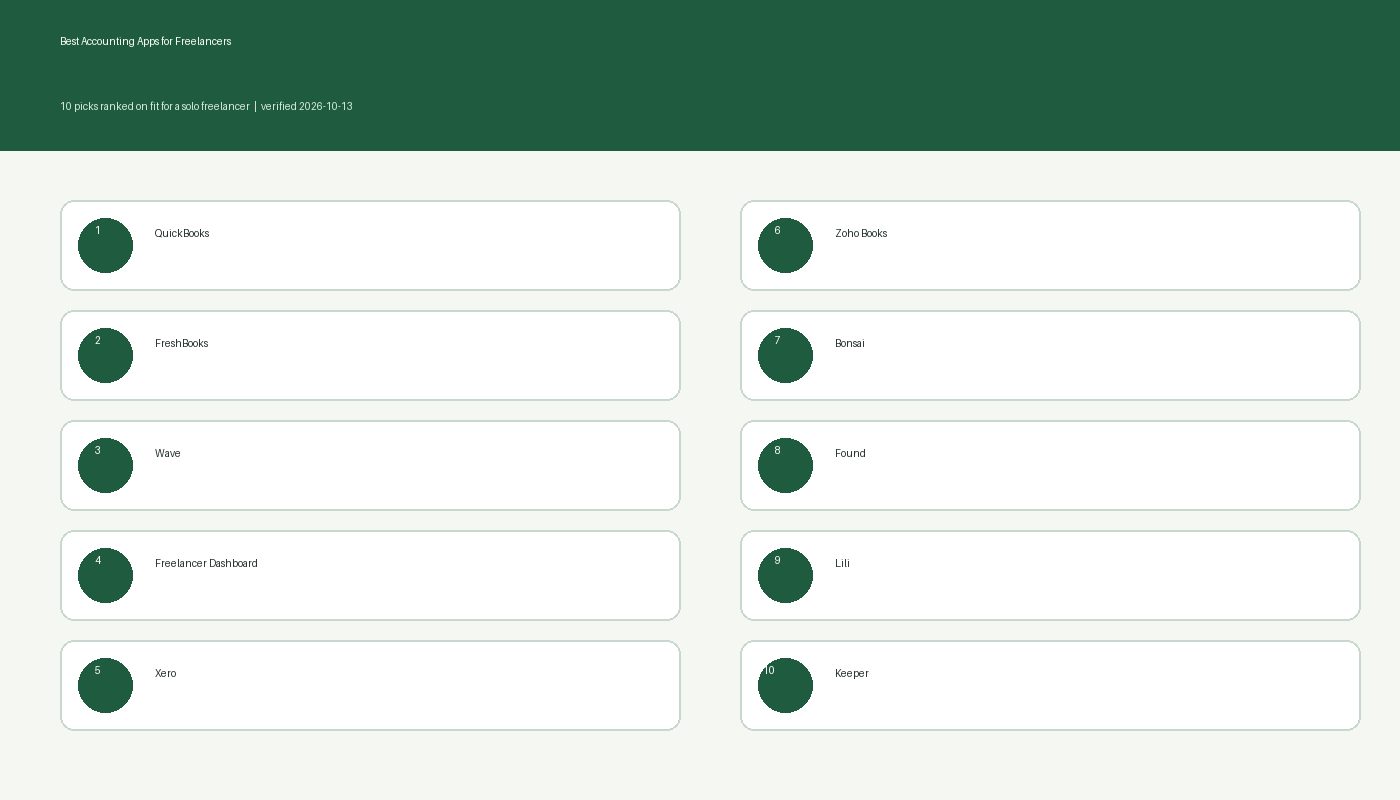
The best accounting apps for freelancers at a glance
| App | Best for | Price that decides it | Drawback |
|---|---|---|---|
| QuickBooks | Tax-time help on a free or cheap plan | Free, then $20 a month (Lite) list price | Free plan caps invoices at 2 a month |
| FreshBooks | Invoice-heavy client work | $23 a month (Lite), 5 billable clients | Client cap and price |
| Wave | The tightest budget | $0 Starter, $19 a month Pro | Starter means manual bank entry |
| Freelancer Dashboard | Tracking clients, assignments and invoices | $0 Basic, $10 Pro, $20 Pro Plus | Books and P&L only on the $20 tier |
| Xero | Growing toward an accountant | $27 a month (Early) after the intro price | Early caps you at 20 invoices and 5 bills |
| Zoho Books | A free plan with real limits | $0 up to $50K revenue, then $20 a month | Free plan ends above $50K revenue |
| Bonsai | Contracts, proposals and invoices together | $25 a month (Essentials) | No tax features listed |
| Found | Banking and bookkeeping in one place | $0 base plan | It’s a bank account, not full accounting |
| Lili | A business account with tax savings | $0 Core, paid plans for invoicing | Invoicing needs a paid plan |
| Keeper | Finding write-offs at tax time | $199 a year (Standard) | No invoicing |
Prices and features verified 2026-10-15 on each vendor’s own pricing page. List prices are monthly unless noted. Many vendors run intro discounts, so you may pay less for the first few months.
Turn your skills into freelance income
Learn how I found clients, raised my rates and went full-time freelance in 2016. Get the free 2026 edition, tax basics included.
1. QuickBooks: best for tax-time help on a free or cheap plan
QuickBooks comes first because it grows with you. Intuit’s page for solo workers lists a Free plan at $0, Lite at $20 a month ($10 for the first three months right now), and Simple Start at $38 a month ($19 for the first three months). Intuit knocks 10% off if you pay for a year up front.
On the Free plan you get income and expense tracking, two invoices a month (unlimited if you turn on QuickBooks Payments), two receipt uploads a month, and five mileage trips a month. On Lite you lose those caps and get the mobile app plus Intuit’s Expert Assisted Tax. Move up to Simple Start and your accountant can log in too.
Mind the invoice cap. Two invoices a month won’t cover most freelancers, so treat Free as a test drive and plan on Lite. Your accountant can’t log in on Free or Lite.
2. FreshBooks: best for invoice-heavy client work
FreshBooks suits you if invoicing is the center of your week. Lite costs $23 a month and includes unlimited invoices, automated recurring invoices, expense tracking, mileage tracking, and tax-time reports. Plus costs $43 a month and Premium costs $70. FreshBooks offers a 30-day free trial with no credit card.
FreshBooks earns its spot with reports. On Plus you get double-entry accounting reports and bank reconciliation, which accountants like to see. FreshBooks aims Lite at the solo freelancer who wants clean invoices and a tax-time summary.
Watch the client cap. FreshBooks limits Lite to 5 billable clients, and if you sign a sixth and you move up to the $43 Plus plan, almost double the price.
3. Wave: best for the tightest budget
Wave gives you the most for $0. The Starter plan costs nothing. On Pro, at $19 a month or $190 a year, you get automatic bank imports and categorization when your bank works with Plaid. Wave charges 2.9% plus $0.60 on card payments from clients on Starter, and it approves online payments only after identity verification and a credit review.
Wave fits freelancers with a few clients who mostly need to send invoices and see income and expenses in one place. You can add receipt capture for $11 a month or $96 a year on Starter. Wave also sells payroll and a bookkeeping service called Wave Advisors, which starts at $149 a month.
Starter has one big drawback. You enter bank transactions by hand, and with more than a handful a week, that chore becomes the price of free.
4. Freelancer Dashboard: best for tracking clients, assignments, and invoices
Freelancer Dashboard is the app for freelancers who start from the client and the assignment, not the ledger. Eric built it after losing track of invoices in his inbox while freelancing full-time as a writer. You track clients and assignments in one place, see who owes you and for how long, and resend an unpaid invoice in one click. Your dashboard lays out revenue, outstanding invoices, and monthly trends.
Basic costs $0 and covers one client and up to three invoices a month. For $10 a month, Pro gets you unlimited clients, automated invoicing, and scheduled invoice sends. For $20 a month, Pro Plus gets you bookkeeping and profit-and-loss statements on top. You can try either paid plan free for 5 weeks with no credit card, and Freelancer Dashboard says it never raises prices on active subscribers.
We placed it fourth. The three apps above it offer deeper accounting, and Freelancer Dashboard’s bookkeeping sits on the $20 tier. Pick it on price and workflow if your main pain is chasing payments. It’s also newer than the big names, and its site doesn’t describe double-entry accounting or accountant logins, so plan to send your accountant reports instead.
5. Xero: best for growing toward an accountant
Xero makes sense once your freelance business starts to look like a small company. The Early plan costs $27 a month after an intro price of $5.40 a month for the first three months. Growing costs $59 and Established costs $97. Early includes quotes, 20 invoices, free domestic ACH bill payments, and a 30-day cash flow forecast. Xero gives you a free Coach to help with setup during your first 90 days.
If you want Xero to match bank lines to your records on Early, you’ll pay $5 a month more for its auto-reconcile add-on.
Xero limits Early to 20 invoices and 5 bills. A freelancer with steady retainers runs out of room fast, and Xero reserves the right to change pricing at any time.
6. Zoho Books: best for a free plan with room to grow
Zoho Books has the roomiest free plan on this list. Free covers one user plus one accountant, 1,000 invoices a year, and 1,000 bills and expenses a year, as long as your financial-year revenue stays at or below $50K. Standard costs $20 a month ($15 on annual billing) with 3 users and 5,000 invoices. Zoho offers a 14-day free trial.
That accountant seat is the standout. You get a free place for the person who files your return to see your numbers.
Once you cross $50K in revenue, you lose the free plan. Plenty of full-time freelancers cross that line, so treat Free as a starting plan.
7. Bonsai: best for contracts, proposals, and invoices in one app
Bonsai bundles the client side of freelancing. The Essentials plan costs $25 a month ($19 on annual billing) per user and includes invoices and payments, proposals and contracts, a client portal, scheduling, expense tracking, and income tracking. Basic costs $15 a month and covers time tracking, tasks, and a CRM without invoicing. Bonsai gives you a 7-day free trial, and you can use its iOS and Android apps.
Bonsai fits a freelancer who wants one login for the pitch, the contract, the invoice, and the payment.
Before you buy, know that Bonsai’s pricing page doesn’t say which plan includes bank sync, so ask before you pay for it. Bonsai also describes no tax features and says it isn’t an accounting firm, so pair it with a tax tool.
8. Found: best for banking and bookkeeping in one place
Found puts a business checking account and your bookkeeping in the same app. The base plan costs $0 and includes a Mastercard debit card, expense categorization, real-time tax estimates, and unlimited free invoicing. Found charges $35 a month for Found Plus, which earns 1.50% APY on balances up to $20,000, and $80 a month for Found Pro.
Found is a financial technology company, not a bank. Lead Bank, Member FDIC, provides the banking services, and deposits are FDIC-insured up to $250,000 per depositor, per ownership category.
Expect banking with light bookkeeping, not a full accounting system. Domestic wires cost $15 each on the base plan, and paper checks cost $1 each.
9. Lili: best for a business account with tax savings
Lili is another bank-account-first pick. The Core account has no monthly fee. Pro, Smart, and Premium carry monthly fees. Lili lists Smart Bookkeeping, which sorts your transactions into categories, and Tax Savings, where you set money aside during the year. Sunrise Banks, N.A., Member FDIC, provides the banking services.
That tax savings tool matters because the IRS sets the self-employment tax rate at 15.3%. If you set money aside as you earn it, April stops hurting.
To get invoicing, you’ll pay. Lili reserves its accounting, tax prep, and invoicing software for the paid Smart and Premium accounts. Lili also says it isn’t a tax preparer and that final categorization of income and expenses is your responsibility.
10. Keeper: best for finding write-offs at tax time
Keeper is a tax-filing service that hunts for deductions. You link your bank account, Keeper scans your transactions for possible write-offs, and you can upload receipts. The Standard plan costs $199 a year and covers e-filing, deduction tracking, and audit protection. Premium costs $399 a year and adds a dedicated accountant and quarterly support. A 14-day free trial lets you try the tracking before you pay.
Keeper fits a freelancer who is leaving deductions on the table because bookkeeping feels like homework. Keeper has apps for iOS and Android.
Keeper doesn’t list invoicing, and its own page marks income tracking and mileage tracking as coming soon. Pair it with one of the invoicing apps above.
How we picked the best accounting apps for freelancers
We started from what freelancers compare most often, then checked each app’s own pricing and features page on 2026-10-15. Every price and limit on this page comes from the vendor, not a review site. We ranked by fit for a solo freelancer, never by price and never by commission. Partners don’t decide where an app lands.
Four things shaped the order. First, can you send an invoice and see income and expenses without a manual spreadsheet? Second, does the free or starter plan work for a full client load? Third, does the app help at tax time? The IRS says you may choose any recordkeeping system suited to your business that clearly shows your income and expenses, so a simple tool beats a fancy one you won’t open. Fourth, can your accountant get in?
We left out tools that push you toward financing you don’t need. Our position is simple: earn more, track it cheaply, and keep tax money separate. If you net $400 or more from self-employment, the IRS says you file Schedule SE and pay self-employment tax. Our self-employment tax guide and our post on paying quarterly estimated taxes cover that. For deductions, see tax deductions for 1099 contractors.
Several of these apps deserve a full Personal Profitability review before you buy. We haven’t written those yet, so treat this page as a verified comparison and not a hands-on test.
When none of these fit
You don’t need any of the best accounting apps for freelancers if you earn a few hundred dollars a month. A spreadsheet with one tab for income and one for expenses satisfies the IRS standard of clearly showing both. Skip the whole category if you haven’t set aside tax money yet. Open a separate savings account first and move a percentage of every payment into it. Our taxes for gig workers post and the QBI deduction for freelancers guide explain what you owe and what you can deduct. If your business has employees, inventory, or an S corporation, hire a CPA and ask which software they already use.
Frequently asked questions
Conclusion
QuickBooks tops our list of the best accounting apps for freelancers, and Wave is the runner-up for anyone who wants to spend nothing. If you start from the client and the invoice, try Freelancer Dashboard or FreshBooks, and compare the best invoice apps for freelancers. For the money side of working for yourself, read our guide to pricing your freelance work, browse the Earn More category, or head back to the Personal Profitability homepage. We also covered an older take on this topic in Small Business Accounting Options.

Free guide
Turn your skills into freelance income
Learn how I found clients, raised my rates and went full-time freelance in 2016. Get the free 2026 edition, tax basics included.
- How to land your first paying client, with a checklist
- The rate-increase email I've sent clients, ready to copy
- 2026 tax basics: 1099s, quarterly due dates and the $400 rule
Bonus: The Side Income Starter Sheet, 20 ideas rated by cost and speed